
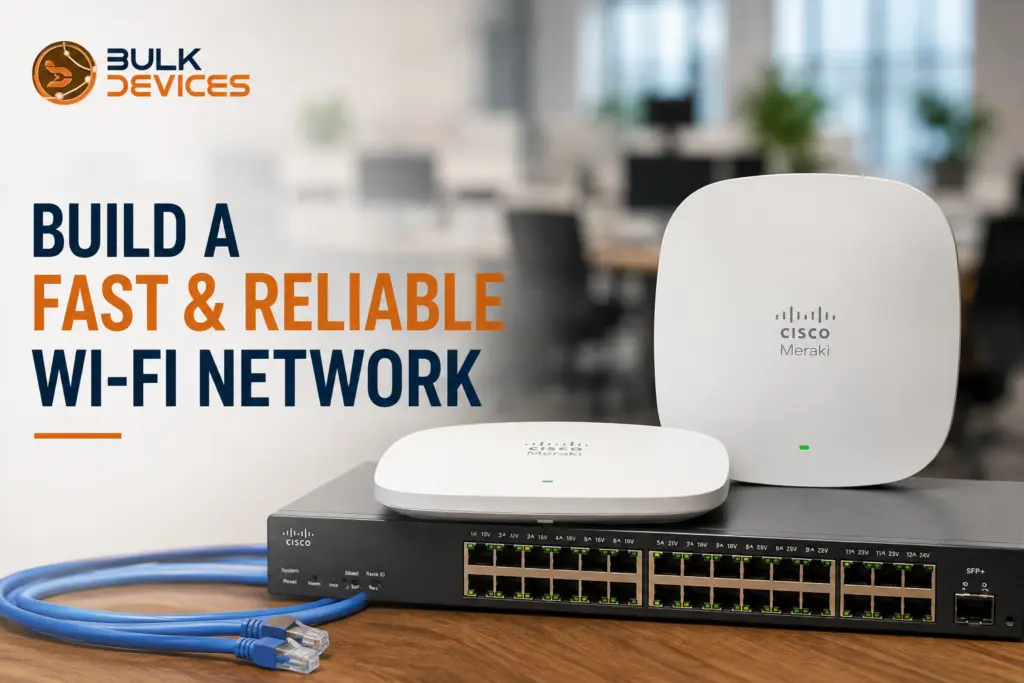
Building a reliable business Wi-Fi network requires more than choosing a powerful access point. A fast and dependable business Wi-Fi network needs the right wired backbone, access points, placement, channel planning, cloud management, and security. This guide explains how to build a business Wi-Fi network that can handle everyday users, growing device numbers, and demanding business applications.
Learning how to build a business Wi-Fi network that actually holds up under daily use comes down to six things done in the right order: a solid wired backbone, the right access points for your space, sensible placement, proper channel planning, cloud management, and layered security. Here’s the short version before we walk through each step:
- A wireless network is only as good as the wired cabling and switching behind it — Wi-Fi hardware can’t fix a weak foundation.
- Choosing the right access point for your site matters more than chasing the newest spec sheet.
- Wi-Fi 6 helps most in busy, device-heavy spaces, but isn’t essential for every office.
- Good access point placement and channel planning prevent most of the dead zones and slowdowns businesses complain about.
- Security (Wi-Fi Protected Access 3, guest network isolation, and network segmentation) should be built in from day one, not bolted on later.
Who This Guide Is For
This guide is for small and medium business owners and office managers who are either planning Wi-Fi from scratch or replacing a setup that’s stopped keeping up. It’s also written with IT staff and consultants in mind — people who understand networking basics but want a full, structured checklist that covers more than just which access point to buy.
We’ll use two real access points as worked examples of right-sizing hardware to a site: the MR36-HW, a solid standard-tier access point, and the MR46-HW, a higher-capacity Wi-Fi 6 model built for busier environments. This is a business Wi-Fi setup guide that covers the whole build — cabling, hardware, placement, planning, and security — not just a shopping list.
What Makes a Reliable Business Wi-Fi Network?
Fast and reliable” Wi-Fi means consistent throughput, low latency, even coverage throughout the premises, and high uptime with few dropped connections. These 4 points are more important than any single spec on a box.
The measured data rate the device performs is called throughput, and is typically less than the theoretical maximum data rate specified on packaging. This lag time between a device sending a request and receiving a response is vitally important during video calls and when using cloud software, especially when compared to raw speed. Consistent coverage simply refers to the coverage of a laptop or phone in a location throughout the building (not just near the access point). Uptime is the percentage of time that the network is running correctly.
If any of these four are ignored, the network can seem like a great idea on paper but not be very effective in real practice. For this reason, this guide focuses on them as the end goal instead of the hardware being the focus.
Start With a Wired Backbone
The first thing in any serious construction is to look at the structured cabling, the wires to get to the internet, and not the access point. At the end of the day, we all need a solid and fast connection from every access point back to our network, and that’s all dictated by the cabling and switching that goes behind that connection.
A Power over Ethernet (PoE) switch is generally the ideal solution because it allows you to power an access point and carry its data over the same Ethernet cable without having to use a separate power connection at each access point. This makes installation easier and allows for the installation of access points in reasonable places such as ceilings instead of where a power outlet is found.
The wired link back to the network is known as the backhaul for the access point. A good, well-planned wired backbone, with adequate cable runs to adequate places, with adequate switch capacity, allows each access point on the network to perform well and not be a choke point when several people start using it at the same time.
Choosing Access Points for Your Business Wi-Fi Network
Picking between access point tiers should be based on how busy and how demanding your space actually is, not simply picking the newest model available. Two real Cisco Meraki access points show this well: the MR36-HW and the MR46-HW.
The Cisco Meraki MR36-HW access point is a solid standard-tier choice, well suited to a typical office, retail unit, or small commercial space with a normal mix of laptops, phones, and everyday business devices connecting throughout the day.
The Cisco Meraki MR46-HW Wi-Fi 6 access point is built for higher-capacity environments — busier spaces with a lot of simultaneous devices, or sites that need the extra headroom Wi-Fi 6 provides. It’s a 4×4:4 access point, meaning it can handle more simultaneous data streams than a standard-tier unit, which becomes genuinely useful once device density climbs.
It’s worth being clear that these two aren’t a “better vs worse” pairing — they’re two tiers matched to two different kinds of site. A small office with light, predictable usage doesn’t need the extra capacity of an MR46-HW, while a busy retail floor or a space packed with connected devices will get real, tangible benefit from stepping up to it.
Wi-Fi 6 vs Wi-Fi 5: Does It Matter for Your Business?
Businesses running more devices on the same Wi-Fi network at the same time will benefit most from Wi-Fi 6, while businesses with a smaller, steadier number of connected devices can often still get good performance from Wi-Fi 5
The technology behind this is OFDMA (Orthogonal Frequency-Division Multiple Access): Unlike previous generations, an access point can handle multiple devices in the same transmission window. In an environment of intensive device use, with many phones, laptops, tablets, and other connected devices being used all at once, this means that the experience is noticeably smoother for all users, instead of applications waiting in line.
The Wi-Fi 6 access points are also fully backward compatible with previous Wi-Fi 5 and Wi-Fi 4 devices, so there’s no need to replace all of the laptops and phones in the building at once. A business with fewer devices and fairly consistent usage is usually better suited to a standard-tier access point, while a business that’s growing, busy, or already congested is a better candidate for Wi-Fi 6.
AP Placement and Site Planning Basics
Good access point placement starts with ceiling mounting wherever possible, spacing access points so their coverage areas overlap slightly, and accounting for the building materials in between. A ceiling-mounted access point typically broadcasts more evenly across a room than one tucked away on a shelf or in a cupboard, because it has a clearer, more central line of sight to the space it’s covering.
Deliberately planning overlapping coverage cells between neighbouring access points helps devices roam smoothly as people move through the building, rather than losing signal in the gaps between one AP’s range and the next. The goal isn’t complete overlap everywhere, just enough that a device is never left with a genuinely weak signal in the space between two access points.
Building materials have a big effect on this planning too. Thick concrete or brick walls, and even large amounts of metal (from lift shafts to filing cabinets), can noticeably weaken a Wi-Fi signal, sometimes creating dead zones a floor plan alone won’t reveal. Walking the actual site with a Wi-Fi survey tool, rather than only planning from a drawing, is the most reliable way to catch these blind spots before installation rather than after.
Channel Planning and Interference Management
Wi-Fi channel planning involves assigning a radio channel to each access point that does not interfere with the channels of its surrounding access points; this ensures that any device that uses a particular AP does not have to compete for the same portion of the spectrum. Every access point transmits on either the 2.4GHz or 5GHz band, and each of these bands is subdivided into a number of channels that can be allocated to access points.
The 2.4GHz band has fewer usable channels and is more prone to interference from other devices like microwaves and older cordless phones, though it travels further and passes through walls more easily. The 5GHz band offers considerably more channel choice and generally cleaner performance, at the cost of a shorter range.
Most modern access points can perform band steering, which will move capable devices to a less loaded 5GHz band automatically, rather than forcing everyone to be stuck on 2.4GHz. One of the easiest ways to see dramatic improvements in day-to-day performance is to get this right and to use some common sense in channel assignments throughout your entire site. If you are considering building something similar, you may want to spend a few minutes and browse our full range of wireless access points to see which models are best for your channel and band needs.
Cloud Management for Easier Operations
A cloud-managed Wi-Fi network lets you configure, monitor, and troubleshoot every access point on your site from one dashboard, without needing to log into each device individually. This is a genuinely practical benefit rather than just a convenience feature, especially once a business has more than a handful of access points running.
A centralised dashboard gives visibility into which access points are online, how many devices are connected to each one, and where performance issues might be developing before they turn into complaints from staff or customers. This kind of visibility is very difficult to get consistently when every access point has to be checked separately.
Remote troubleshooting and firmware updates are two of the biggest day-to-day wins. Instead of physically visiting each access point or waiting for a convenient moment to update it manually, cloud-managed systems allow updates and diagnostics to be handled remotely, often outside business hours. For a business running more than one site, this same dashboard typically offers multi-site visibility too, giving one consistent view across every location rather than a separate login for each.
Security Basics for Business Wi-Fi
Three pillars of solid business Wi-Fi security are robust encryption, a suitably isolated guest network, and network segmentation. These are all essential features, not add-on costs — they’re fundamental to any network running business information.
If you have the capability, use WPA3 (Wi-Fi Protected Access 3) for extra security, as it provides substantially better security than the previous WPA2 standard. A fully separate guest Wi-Fi network will ensure that employees and contractors have internet connections without ever connecting to the systems and data that are crucial for your business.
VLAN segmentation (Virtual Local Area Network segmentation) goes one step further by dividing your network into logical segments: separating devices in the office, guest networks, and other equipment such as security cameras or smart building equipment from one another, while using the same physical network. A captive portal, or login/terms-of-use page that guests are forced to go through before they can establish an Internet connection, is a simple and common method of managing and tracking visitors’ Internet connection without putting additional strain on the staff.
Together, these measures mean a compromised guest device, or a curious visitor, is kept well away from anything sensitive on the main business network.
Capacity Planning and Future-Proofing
Building genuine headroom for growth into your Wi-Fi network from the start avoids the far more disruptive experience of a forklift upgrade a couple of years down the line, where most of the hardware has to be replaced at once because it simply can’t keep up anymore.
Device density trends are worth thinking about honestly here. Most businesses are connecting more devices per person than they were even a few years ago — laptops, phones, tablets, smart displays, and increasingly things like security cameras and building sensors all sit on the same network. Planning capacity for today’s device count alone tends to leave very little room for this ongoing growth.
A sensible approach is to size access point coverage and switch capacity with some deliberate spare capacity built in, rather than cutting the build as close to current needs as possible. This tends to cost a little more upfront but avoids the far higher cost and disruption of ripping out and replacing a network that’s been outgrown.
Business Wi-Fi Build Checklist
| Step | Why It Matters | Quick Check |
|---|---|---|
| Cabling | Every access point needs a strong wired connection to perform reliably | Is structured cabling and a PoE switch in place before AP installation? |
| AP tier | The wrong tier either underperforms or overspends for the site | Does the chosen access point match your device density and space? |
| Placement | Poor placement causes dead zones and weak roaming | Are access points ceiling-mounted with overlapping coverage? |
| Channels | Wrong channel assignment causes interference between APs | Has channel planning and band steering been configured? |
| Security | Unsecured or flat networks put business data at risk | Is WPA3 enabled, with guest and VLAN segmentation in place? |
| Management | Manual, device-by-device management doesn't scale | Is the network managed through a single cloud dashboard? |
Common Mistakes When Building a Business Wi-Fi Network
Most business Wi-Fi setup mistakes trace back to skipping one of the fundamentals in this guide rather than choosing the wrong access point brand.
Under-cabling is one of the most common and hardest to fix later, since running new cable through a finished building is far more disruptive than doing it properly the first time. Closely related is buying too few access points for the space, which forces each one to cover more ground than it comfortably can, leading to weak signal at the edges of every coverage area.
Ignoring interference is another frequent oversight — installing access points without any channel planning, then wondering why performance is inconsistent once several APs are broadcasting near each other on clashing channels. Finally, skipping guest network isolation leaves visitor devices sharing the same network as sensitive business systems, which is a security risk that’s genuinely simple to avoid with proper VLAN segmentation from the outset.
Frequently Asked Questions
What is the difference between the Meraki MR36 and MR46?
The Meraki MR36 is a standard-tier access point suited to typical office and retail environments, while the Meraki MR46 is a higher-capacity Wi-Fi 6 access point built for busier sites with more devices connecting at once. Both are valid choices depending on how demanding the site actually is, rather than one simply being better than the other.
Do I need Wi-Fi 6 for a small office?
A small office with a steady, predictable number of connected devices often doesn’t need Wi-Fi 6 and will perform well on a standard-tier access point. Wi-Fi 6 becomes worthwhile once a space has a high number of devices competing for the network at the same time.
How do I secure a guest Wi-Fi network?
A secure guest Wi-Fi network should be kept entirely separate from the main business network using VLAN segmentation, ideally behind a captive portal for access control. This keeps visitor and contractor devices away from sensitive business systems and data.
How many access points does a reliable business network need?
The right number of access points depends on the size of the space, the building materials involved, and how many devices need to connect at once, rather than a fixed number that applies to every business. A proper site survey during planning is the most reliable way to get this figure right.
Does cabling really matter if my access points are wireless?
Yes — even though access points broadcast wirelessly, most rely on a wired connection back to the network for their actual data and power. A weak or insufficient wired backbone limits every access point connected to it, regardless of how capable that access point is on its own.
How often should I review or upgrade my Wi-Fi network?
Most businesses benefit from reviewing their Wi-Fi network’s performance and capacity at least once a year, or whenever device numbers or the layout of the space changes noticeably. Building in headroom for growth from the start makes these reviews far less likely to turn into a full network overhaul.
Getting the Right Hardware for Your Build
Building a reliable business Wi-Fi network is less about any single piece of hardware and more about getting the whole system right, cabling, access point selection, placement, channel planning, and security. If you’re planning a business Wi-Fi network in the UK, see our full networking range at BulkDevices for access points, switches, and other networking hardware.