
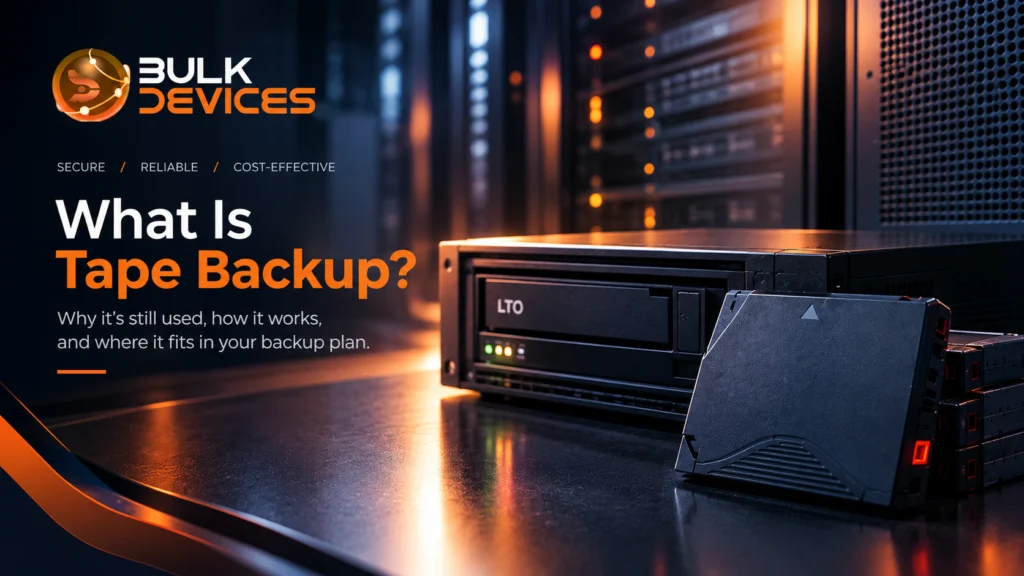
Quick answer: Tape backup means copying data onto magnetic tape cartridges, most often Linear Tape-Open (LTO). It is still used because tape is cheap to store at scale, lasts a long time, and can sit offline where ransomware can’t reach it. Most organisations use tape alongside disk and cloud, not instead of them.
Key takeaways
- Tape backup stores data on magnetic tape cartridges, usually LTO.
- Tape is still in active use at large enterprises, broadcasters, hospitals and government bodies.
- A tape that isn’t plugged into the network can’t be encrypted by ransomware.
- Disk is best for fast recovery; tape for long-term archives.
- Tape works best as one layer in a backup plan, not the whole plan.
Intro
Ask around, and plenty of people will tell you tape is a museum piece. It sounds like something from the 1980s, next to cassette players and floppy disks. That’s a fair guess, because we all store things on our phones, laptops, and cloud accounts now. But why is tape backup still used by so many big organisations? Because it does a few jobs better and cheaper than anything else. And what is tape backup today? It’s a lot more modern than most people think.
What Is Tape Backup?
Tape backup is a way of saving copies of your data onto magnetic tape. The tape sits inside a small cartridge, a bit like a very advanced cassette. A tape drive reads and writes the data.
The main format today is LTO, short for Linear Tape-Open. The LTO tape backup standard is managed by the LTO Consortium, made up of HPE, IBM, and Quantum. The current LTO-9 cartridge holds 18TB of data before compression. With compression, it can hold up to 45TB.
Tape uses sequential data storage. Data is written in a line, one piece after another, and read back the same way. Disks work differently. They use random access, so they can jump straight to any file. That difference explains most of what follows.
How Tape Backup Hardware Works
A tape backup system has three parts: the tape cartridge, the tape drive, and something to house and manage them. The drive writes to the cartridge. When you need the data back, the drive reads it again.
Smaller setups use a single drive. Bigger ones use a tape library, which is a cabinet with several drives and a robotic arm that swaps cartridges automatically.
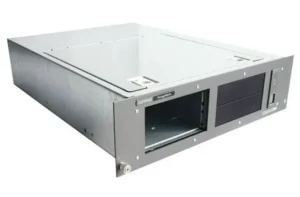
A good example is the HP Compaq StorageWorks 234327-001 tape rack enclosure. It’s a tape drive rack built to hold up to four DAT drives or two SDLT drives in one unit that slots into a server rack. DAT and SDLT are older tape formats, and you’ll still find them in plenty of businesses that never stopped using them. Rack enclosures like this keep your drives tidy, powered, and easy to reach. If you are looking for a tape backup drive rack enclosure for an existing setup, this is the kind of hardware to know about.
Why Is Tape Backup Still Used Alongside Disk and Cloud Storage?
Tape is still used because it does a different job from disk and cloud. It isn’t a replacement for either. It’s a partner.
Think of disk as your desk drawer and tape as the filing store in the basement. You want the drawer for things you need today. You want the basement for the huge pile of stuff you must keep but rarely touch.
Scale is the other reason. When you store hundreds of terabytes or more, the cost of keeping everything on spinning disks or in the cloud adds up fast. Cartridges cost little to keep on a shelf, need no power when idle, and take up very little space. That’s why tape still makes sense for big archives, even when other options exist.
Tape vs Disk Backup: Where Each Fits
Disk is better for fast recovery, and tape is better for long-term archives. They suit different needs.
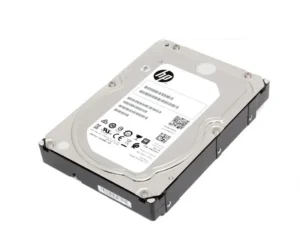
Take the Seagate ST6000NM0095 6TB enterprise disk drive. It’s a 7,200rpm SAS drive made for servers and storage arrays. If a file goes missing this morning, a disk like this can get it back in minutes, because it uses random access and can jump straight to the data.
Tape can’t do that. It has to wind through the cartridge to find what you want. So most businesses use a plan called disk to disk to tape backup, or D2D2T. Here’s how it works:
- Data is copied from your main systems to a backup disk. This is the quick recovery copy.
- Later, that data is copied from disk to tape.
- The tape goes into long-term storage or off-site.
You get speed from the disk and cheap, safe storage from the tape. Neither one has to do everything.
The 3-2-1 Backup Rule and Where Tape Fits In
The 3-2-1 backup rule says you should keep three copies of your data, on two different types of media, with one copy stored off-site.
The idea is that a single problem shouldn’t be able to wipe out everything. A fire, a flood, a failed drive, or a cyber attack can each cause damage, but they rarely hit all three copies at once.
Tape slots into this rule neatly. Your live data is copy one. A disk backup is copy two, on a different type of media. A tape cartridge kept off-site, or at least offline, is copy three. Some experts now use an extended version, 3-2-1-1-0, which adds one offline or unchangeable copy and zero errors after testing. Tape is a natural fit for that extra offline copy.
Tape Backup’s Real Advantages
Tape’s biggest strengths are ransomware protection, low cost at scale, and a long storage life.
Air gap backup ransomware protection is the big one. Ransomware spreads across networks and locks up everything it can reach, including backups. A tape sitting in a cabinet or a vault isn’t connected to anything, so there’s nothing for the ransomware to reach. This is called an air gap. To be clear, the protection comes from the tape being offline, not from any special magic in the tape itself. A tape left in a connected drive is just as exposed as a disk. Many tape systems also support WORM (write once, read many), which stops data from being changed after it’s saved. That gives you an unchangeable, or immutable backup.
On tape backup cost per TB, cartridges usually work out cheaper than disk for large archives, because unused tapes can sit on a shelf without power or cooling. The gap grows as your data grows.
Then there’s shelf life. LTO manufacturers state that cartridges can hold data for up to 30 years when stored properly, in a cool, dry place away from strong magnetic fields. That suits records you must keep for a very long time.
Tape Backup’s Real Limitations
Tape is slower to restore from and needs more hands-on management than disk. It’s worth being honest about that.
Because tape uses sequential access, finding one small file can take a while, since the drive has to wind to the right spot. It’s great for restoring a whole archive, but less handy for grabbing a single document in a hurry.
There’s also the admin. Someone has to label cartridges, rotate them, track where they are, and test them now and then. Many teams use a rotation scheme such as grandfather-father-son, where daily, weekly, and monthly tapes are cycled so you always have older copies to go back to. It works well, but it needs someone who keeps on top of it. And like any storage, tapes and drives need proper care to last.
Who Still Uses Tape Backup Today?
Large enterprises, broadcasters, healthcare providers, and government bodies all still use tape. Here are some real-life examples.
- Media and broadcast: A production company may shoot years of raw video. Keeping it all on disk would cost a fortune, so it goes to tape.
- Healthcare: Hospitals often must keep patient records for many years to meet compliance retention requirements. Tape is a low-cost way to do that.
- Government and research: Public archives and scientific data sets can run to huge sizes and must last for decades.
- Businesses after a scare: Some firms add a weekly offline tape after a ransomware incident, as extra insurance.
If you’re weighing up tape backup for enterprise use, you can browse our range of tape libraries and autoloaders to see what’s available.
Tape vs Disk vs Cloud Backup
Each type of backup has its own best use. This table shows how they compare on tape backup vs disk backup and cloud.
| Metric / Feature | Tape Backup | Disk Backup | Cloud Backup |
|---|---|---|---|
| Cost at Large Scale | Usually lowest | Higher | Ongoing monthly fees that grow with data |
| Restore Speed | Slower | Fast | Depends on your internet speed |
| Offline (Air-Gap) Option | Yes, when tapes are removed | Only if disks are unplugged | Not by default |
| Longevity | Long, when stored well | Shorter, drives wear out | Depends on the provider |
| Best Role | Long-term archive and offline copy | Fast recovery of recent data | Off-site copy and flexibility |
Common Misconceptions About Tape Backup
Tape is obsolete. It isn’t. LTO keeps getting new generations with more capacity, and demand from data-heavy industries keeps it going.
Tape is only for old systems. Not true. Modern data centres use LTO libraries alongside current servers and storage. Older gear like DAT is still around, but it’s only one part of the story.
Cloud replaced the need for tape. Cloud is great, but it’s usually online all the time, and it comes with running costs. Many organisations use it alongside tape, not in place of it. The best plans use both.
FAQ
Is tape backup obsolete?
No. Tape backup is still in active use at enterprises, broadcasters, hospitals and government bodies, mainly for cheap long-term archives.
Why is tape better for ransomware protection than disk or cloud backup?
Tape backup is safer from ransomware when tapes are kept offline. Ransomware can only encrypt what it can reach over a network, and a tape on a shelf can’t be reached.
How long does data actually last on tape?
LTO manufacturers say cartridges can keep data for up to 30 years when stored in the right conditions. Regular test restores are still a good idea.
Is tape backup cheaper than cloud storage at scale?
For large archives that rarely change, tape usually costs less than cloud storage over time, because cloud storage has ongoing fees while tapes cost little to store.
What is the 3-2-1 backup rule and where does tape fit in?
The 3-2-1 backup rule means three copies of your data, on two types of media, with one copy off-site. Tape is often used for the off-site or offline copy.
Do large companies still use tape backup today?
Yes. Many large companies use tape for archives, compliance records, and offline ransomware protection, alongside disk and cloud.
Ready to Build a Better Backup Plan?
Whether you’re topping up an existing tape setup or just working out what your backup plan needs, it helps to talk to people who know the hardware. We stock a wide range of backup drives, tape hardware, and enterprise storage, so you can buy tape backup hardware in the UK with fast, tracked delivery. Take a look around and see the full range at BulkDevices.