





Printer hard Drive
Printers play an important role in every professional work environment. They are not just machines that put ink on paper; advanced printers contain advanced features such as hard drives, etc. Furthermore, these devices are considered the best because they enhance productivity, safety, and overall performance.
Read more about Printer hard DrivePrinter Hard Drive
-
![]()
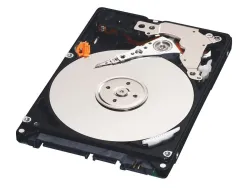
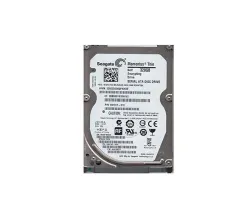
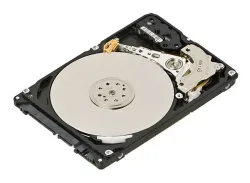
0HW681 - Dell 80GB Hard Drive for 5330DN Laser Printer
SKU: 0HW681
Brand: Dell
£149.02 £124.18Savings:0.00 -
![]()
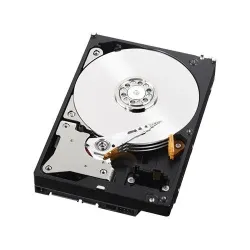
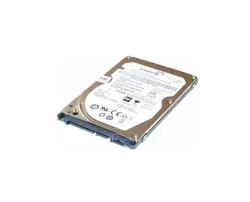
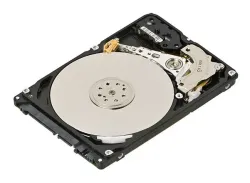
324-5407 - Dell 160GB Hard Drive for 5460dn/5465dnf Printer
SKU: 324-5407
Brand: Dell
£332.72 £277.27Savings:0.00 -
![]()
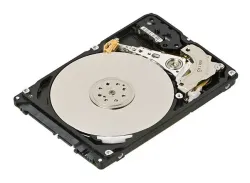
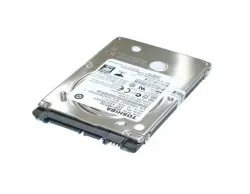
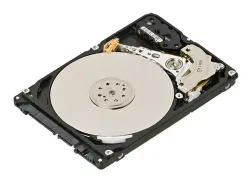
CF116-67907 - HP 320GB Encrypted High Performance Hard Drive for LaserJet M525n M525f Flow M525c
SKU: CF116-67907
Brand: HP
£297.14 £247.62Savings:0.00 -
![]()
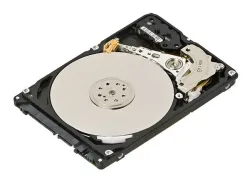
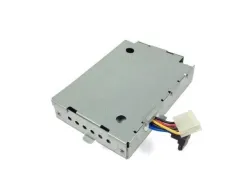
0JCTJ9 - Dell 160GB 5400RPM SATA 3Gbs 8MB Cache 2.5-inch Hard Drive for B3465DN and B3465DNF
SKU: 0JCTJ9
Brand: Dell
Savings:0.00 -
![]()
1A514C-020 - HP 320GB 5400RPM SATA 2.5-inch Hard Drive
SKU: 1A514C-020
Brand: HP
£311.40 £259.50Savings:0.00 -
![]()
691917-010 - HP 320GB Self Encrypting Hard Drive for LaserJet M575
SKU: 691917-010
Brand: HP
£313.20 £261.00Savings:0.00 -
![]()
697242-001 - HP 320GB 5400RPM SATA 2.5-inch Hard Drive
SKU: 697242-001
Brand: HP
£134.33 £111.94Savings:0.00 -
![]()
CB414-67922 - HP 40GB Hard Drive Kit for LaserJet M3027 M3035
SKU: CB414-67922
Brand: HP
£81.60 £68.00Savings:0.00 -
![]()
0950-4957 - HP 160GB 5400RPM 2.5-inch SATA Hard Drive
SKU: 0950-4957
Brand: HP
Savings:0.00 -
![]()
J6073G-40 - HP 40GB 7200RPM IDE Hard Drive for Color LaserJet 5200
SKU: J6073G-40
Brand: HP
£175.72 £146.43Savings:0.00 -
![]()
Q1271-60751 - HP 40GB IDE Hard Drive for DesignJet 4000 4000PS
SKU: Q1271-60751
Brand: HP
£533.12 £444.27Savings:0.00 -
![]()
Q1273-60044 - HP 40GB IDE Hard Drive for DesignJet 4000 4000PS
SKU: Q1273-60044
Brand: HP
£548.57 £457.14Savings:0.00


Featured Products


Also, their main role is to facilitate in-built storage that helps its users with managing or storing print jobs, processing complex tasks, and improving workflow effectiveness. For example, a computer’s hard drive holds the data temporarily or permanently, depending on the settings. Also, premium business printers and multifunction printers normally contain hard drives that optimise printing, copying, scanning, and even faxing tasks.
Why Do Printers Have Hard Drives?
The built-in hard drive feature in printers serves multiple purposes:
- Improved Performance: First, the hard drive helps the printers with storing print jobs while minimising the processing time and enhancing speed.
- Job Spooling: Multiple users can also send print jobs easily, and the printer hard drive manages them proficiently.
- Security Features: Moreover, it allows you to store sensitive documents, which can be stored temporarily and can be removed safely to avoid unauthorised access.
- Storage for Frequently Used Files: Furthermore, many printers allow operators to save templates, forms, and even documents for fast and easy printing.
- Efficient Scanning and Copying: A printer hard drive also helps manage large file sizes when performing high-volume scanning or copying.
Current Trending Printer Hard Drives in the UK
1. HP CF116-67907 320GB Hard Drive
This HP CF116-67907 320GB hard drive is manufactured to be used with HP LaserJet Enterprise 500 MFP M525 series printers. It can also work with models such as M525n, M525f, and Flow M525c. If we talk about its storage capability, then you will get 320GB with it.
Features:
- It's encrypted with a top-performing hard disc drive while guaranteeing data safety.
- Moreover, it will enhance printer performance by proficiently managing large print jobs and storing regularly utilised documents.
2. HP 691917-010 320GB Secure Hard Drive
This HP 691917-010 320GB is suitable for numerous HP LaserJet Enterprise models, including M575, M525, M603, M775, M712, M880, M577, M630, CM4540, M681, M682, M4555, etc. Furthermore, it contains 320GB of storage capacity.
Features:
- It contains an auto-encrypting hard drive, which will give enhanced data protection.
- Also, it is manufactured to provide good printing performance by handling challenging print tasks and storing essential data safely.
Types of Printer Hard Drives
- Internal Hard Drive: It is pre-installed in the printer and is not easily reachable but provides all-in-one operation.
- External Hard Drive: There are several printers that also support external storage through USB or network drives while giving extra storage flexibility.
- Solid-State Drives (SSD): Many innovative and high-performing printers contain SSDs for faster processing and improved resilience.
- Advantages of a Printer Hard Drive
- Faster Printing Speeds: The printer's hard drive helps in reducing the lag issue, especially in situations where multiple works are lined up. Furthermore, it normally stores used data and processes complex jobs proficiently.
- Enhanced Document Safety: Also, their in-built encryption protects and erases unknown access, which ensures that your sensitive information is protected from illegal users.
- Better Workflow Management: Moreover, printers' exceptional hard drives allow planned printing, reducing downtime while guaranteeing smooth office operations.
Printer Hard Drive Security Risks and Solutions
As we know, the printer hard drives store private data, so there will be safety risks if they are not secured or managed properly. Here are some communal fears and solutions that you should know:
- Data Breaches: Unsafe printer hard drives might stock personal documents, which may be opened by unauthorised people. Solution: Use encryption and password-protected access.
- Leftover Data: Also, previous print tasks may remain safe on the hard drive, which may lead to possible information leaks. Solution: Implement automatic data wiping, or you should manually clear storage on a daily basis.
- Hard Drive Theft: Moreover, if your printer gets stolen, its hard drive may contain sensitive data. Solution: You should choose a removable printer hard drive with a removable option or ensure proper exclusion of old devices.
How Can You Maintain a Printer's Hard Drive?
If you want printer hard drive longevity and safety, then you should follow these maintenance tips:
- Regularly Clear Storage: You should delete regular storage or unnecessary printing tasks and documents.
- Update Firmware: Also, it is suggested by our side that you keep your printer’s software updated to avoid flaws or gaps.
- Use Secure Print Features: You should implement a password-protection feature for confidential documents.
- Erase Data Before Disposal: Moreover, you should use the suggested methods to safely wipe data before discarding an old printer.
Is a Printer Hard Drive Necessary for You?
A printer hard drive is how much necessary; it depends on your requirements. For instance, if you own a high-demand office environment where you have to handle sensitive data, then you should choose a printer with a top-tier hard drive, as it can be highly beneficial for you. There are numerous businesses, hospitals, law firms, and government offices that utilise advanced printers to achieve performance and safety. But if you want to perform a basic task with your home printer, then an in-built hard drive may not be as important.
Therefore, if you are looking for a top-notch printer with a hard drive, then you can get one through the bulk devices, as we have a vast range of collections, including advanced and refurbished models, and choosing the right printer hard drive can improve productivity and protect your sensitive data. So, grab yours now.