
Quick Answer:
To how to improve server storage performance, start by finding the actual bottleneck instead of replacing drives immediately. Check drive latency and IOPS, RAID design, controller queue depth, caching, and SAS interface bandwidth. Match the storage setup to the workload, keep frequently accessed data on faster storage where appropriate, and monitor performance after every change.
Key takeaways:
- Identify whether the problem is drive latency, IOPS, RAID overhead, controller load, or interface bandwidth.
- Choose higher-RPM SAS drives when fast random access is important and the workload suits them.
- Select RAID based on the workload because capacity, protection, and write performance involve different trade-offs.
- Use SSD caching or automated tiering when frequently accessed data is the main performance concern.
- Monitor storage performance over time because workload growth and capacity changes can create new bottlenecks.
Slow data access does not always mean that the hard drives are too slow. A database server may become sluggish as its dataset grows, while a virtualisation host may struggle when several virtual machines request storage at the same time. A file server can also appear perfectly responsive at quiet times but slow down during busy periods.
This guide explains the main ways to improve faster data access server storage, from drive selection and RAID to controller queues, caching and interface bandwidth. It also uses two enterprise SAS drives as practical examples and explains when each type of storage can make sense.
What Actually Limits Server Storage Performance?
A server storage bottleneck can occur at several layers, so checking only the drive can lead to the wrong upgrade. The main measurements to watch are IOPS, throughput, and latency.
IOPS means input/output operations per second and is especially useful when a workload generates many small storage requests. Throughput describes how much data can be moved over a period, while latency is the time taken for an individual request to receive a response. These measurements describe different aspects of storage performance and should not be treated as interchangeable.
Start by looking at what the application is actually doing. A database with many random reads may care more about IOPS and latency than large sequential transfers. A backup server moving large files may place more emphasis on sustained throughput.
The same approach works for virtualisation. If several virtual machines share one storage pool, the drives may be capable of handling the workload individually but struggle when many requests arrive together.
Before buying replacement hardware, check storage latency, I/O activity, controller utilisation, and queue depth during the period when users notice the slowdown. That evidence gives you a much better starting point than simply choosing a drive with a higher headline specification.
Choosing Faster Drives: RPM and Interface Speed
When mechanical storage is the limiting factor, drive characteristics can make a noticeable difference. 15k rpm vs 10k rpm sas drive comparisons are particularly relevant for workloads that depend heavily on quick random access.
Higher rotational speed can reduce rotational latency, while enterprise SAS drives are designed for demanding server and storage environments. However, RPM is only one part of the picture. The controller, RAID level, workload pattern, and number of drives can all influence the result.
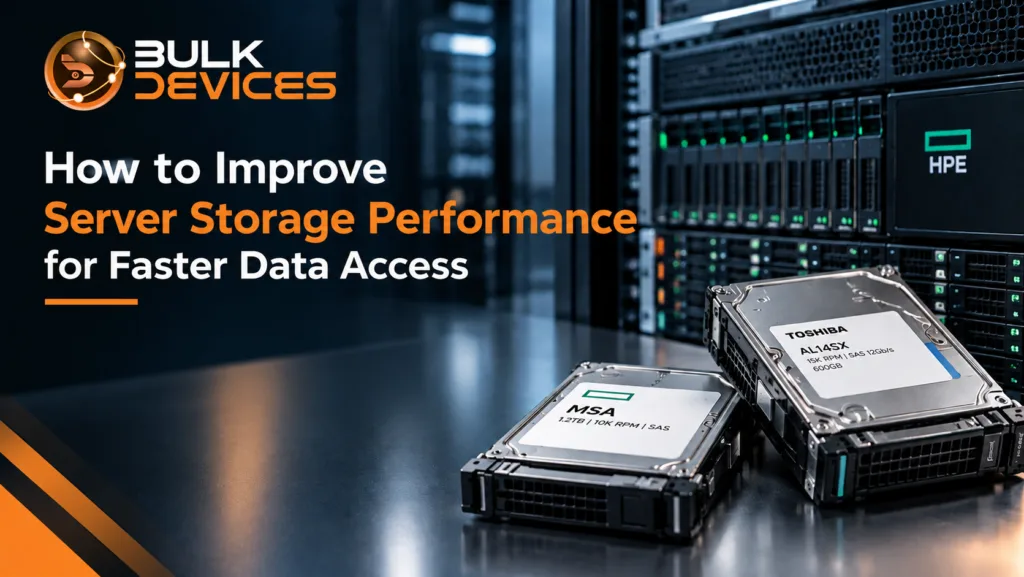
For example, the Toshiba AL14SXB60ENY 15,000 RPM SAS drive is a 600GB enterprise drive with a SAS 12Gb/s interface and 128MiB buffer. Toshiba positions the AL14SX family as a high-performance 15,000RPM enterprise HDD range for demanding server workloads.
A 15,000RPM drive can therefore be a sensible choice for a performance-focused storage tier where rapid access to active data matters. It does not mean that every server should use 15,000RPM drives. If the workload is mainly sequential, capacity-focused or already limited by another component, the extra rotational speed may not address the real problem.
Drive compatibility also matters. Check the server or storage array’s supported drive type, sector format, interface, form factor, and firmware requirements before making a replacement.
RAID Configuration and Its Performance Trade-offs
RAID can have a dramatic effect on performance, yet there’s no one fast RAID type for all workloads. RAID performance trade-offs depend on the workload type: read-heavy, write-heavy, sequential, random, and protection.
RAID 0 is striping over drives and could perform well, as the I/O is spread across several drives, but it does not offer protection against drive failure. For critical production information, it is therefore not appropriate for use in terms of availability and resilience.
RAID 1 uses mirroring. Data is written to two drives; this provides redundancy and enables reads to be served from the mirrored set.RAID 1 uses mirroring, so the same data is written to two drives. This provides redundancy, but usable capacity is lower because each copy is duplicated.
RAID 5 is a combination of striping and distributed parity. It offers less redundancy than mirroring, but still requires extra parity operations for small writes. This will impose a RAID write penalty, especially if the workload does a lot of “random” writes.
RAID 6 provides an additional level of parity protection. It supports two drive failures, but also adds to the workload of the writes.
RAID 10 is a combination of striping and mirroring. It works well in general for jobs requiring good random read and write performance and redundancy. The downside is the capacity efficiency (50% of the total raw capacity is used for mirrored protection).
What to choose depends on the application. A mirrored setup may be preferred when you need a database server with a lot of writes, whereas when you need a very large file store, it may be more important to consider another configuration. When evaluating rebuild behaviour and protection requirements, don’t forget to take performance into account.
Storage Arrays and Tiering
Storage array tiering improves performance by placing active data on faster storage while keeping less frequently accessed data on higher-capacity tiers. This approach can be more practical than putting every piece of data on the fastest available drive.
The HPE MSA EG001200JWJNQ storage array drive is a 1.2TB, 10,000RPM SAS 12Gb/s drive designed for HPE MSA storage environments. HPE documentation lists 1.2TB 12G SAS 10K SFF enterprise drives among MSA storage options.
This type of drive illustrates why storage arrays should be considered as complete systems rather than collections of individual disks. In an MSA environment, drives can form pools, and different drive classes can be used as different tiers. HPE describes performance tiers using SSDs, standard tiers using enterprise SAS HDDs, and archive tiers for lower-performance capacity storage.
For HPE MSA storage array performance, automated tiering can move frequently accessed data towards faster storage while keeping colder data on more capacity-oriented media. This allows administrators to balance performance and storage cost instead of putting the entire dataset on premium storage.
Controller Queue Depth and Command Queuing
Controller queue depth explained simply: queue depth is the number of I/O requests waiting to be handled by a storage device or controller.
A storage system needs enough queue capacity to handle concurrent I/O without becoming overloaded. If an application suddenly sends many requests, the controller may have to queue them before the drives can process them.
This is especially important in virtualised environments. Imagine a host running several busy virtual machines. Each VM may generate its own storage requests. The controller sees the combined workload, so the storage system can experience a much heavier I/O queue than one application would create on its own.
A high queue depth is not automatically a problem. It can simply show that the workload is capable of keeping the storage system busy. The concern is when increasing queue depth is accompanied by rising latency and slower application response.
Check controller statistics alongside drive latency and I/O activity. If the drives are not fully utilised but controller queues remain high, the controller or its configuration may deserve closer attention. If both controller and drives are heavily loaded, adding more suitable storage resources may be the better route.
Adding SSD Caching or Tiering to Accelerate Hot Data
SSD caching server storage can be useful when a workload repeatedly accesses the same data. Instead of making every request travel to slower HDD storage, frequently accessed information can be served from faster flash storage where the platform supports it.
The important distinction is between read cache, write cache, and tiering.
Read caching keeps frequently requested data available on SSDs so future reads can be served more quickly. Write caching temporarily handles write operations before they are committed to the underlying storage, subject to the controller and protection design.
Tiering works differently. Instead of simply keeping copies in a cache, the storage system moves data between storage tiers based on access patterns. Hot data can be placed on faster media, while colder data remains on larger-capacity drives.
HPE documentation describes SSD read cache as particularly useful for workloads dominated by random reads. It also explains that performance tiering can move frequently accessed pages towards the highest available tier.
If you are evaluating SSD caching, compare the workload before and after deployment. The aim is not to add SSDs because they are faster in general. The aim is to place the right data on faster media where it will have a measurable effect.
For compatible options, explore our full range of storage devices.
Interface Bandwidth: Why 12Gb/s SAS Matters (and When It Doesn’t)
The first important point to make about SAS 12Gb/s explained is that the actual performance of the mechanical hard drive is not the same as the speed of the interface.
The 12Gb/s SAS interface supports a higher link-speed limit than the previous generations of SAS. But a mechanical HDD may not be able to move data sufficiently quickly to take advantage of the entire bandwidth of the interface alone.
It does not automatically mean that switching from a lower speed interface to 12Gb/s SAS will automatically give you a corresponding improvement in application performance. If the interface itself is already the limiting one, the drive or the RAID configuration or the controller might remain as the limiting point.
In cases where several drives are connected, if the storage controller generates a high aggregate amount of traffic, or if the storage media becomes significantly faster and thus can utilize the bandwidth of the link more efficiently, then interface bandwidth becomes more significant.
The use of compatibility is also required. All components (server, controller, backplane, and drives) need to be compatible with the desired SAS generation and connection pattern. If the fast drive is connected to a slower component, it can still work, but the entire storage path will be slowed down by the slowest component.
Monitoring and Maintaining Storage Performance Over Time
Knowing how to improve server storage performance is only part of the job. Storage performance should also be monitored after an upgrade because workloads change.
A server that performs well after deployment may slow months later as databases grow, virtual machines are added, or more users access shared storage. Capacity utilisation can also affect performance, particularly when drives and storage pools fill up.
Track latency, IOPS, throughput, and queue activity during both normal and busy periods. Look for changes rather than relying on one snapshot.
Firmware and storage drivers should also be kept under review. Updates can address compatibility, reliability, or performance issues, but they should be tested against the server and storage platform before production deployment.
Keep some capacity headroom and review the storage layout periodically. If a once-light workload has become write-heavy or more applications have been added, the original storage design may no longer match the current demand.
Bottleneck, Cause & Fix Quick Reference
| Symptom | Likely bottleneck | Practical fix |
|---|---|---|
| High latency during random I/O | Drive response time or insufficient IOPS | Consider faster enterprise drives, additional drives, or SSD storage |
| Heavy writes with parity RAID | RAID write penalty | Review RAID level and workload requirements |
| High queue depth with rising latency | Controller or storage contention | Check controller utilisation, concurrent I/O and configuration |
| Large sequential transfers are slow | Throughput or interface limitation | Check drive throughput, controller path and SAS bandwidth |
| Frequently used files remain slow | Hot data is on slower storage | Consider SSD read caching or storage tiering |
| Storage is fast at idle but slow under load | Shared I/O contention | Check concurrent workloads, queue depth, and array configuration |
The table is a starting point rather than a replacement for monitoring. The same symptom can have more than one cause, so confirm the bottleneck before changing hardware.
Common Mistakes When Trying to Improve Storage Performance
A major error is to believe that it is always a faster drive that will cure all storage ailments. A 15,000RPM HDD is not a magic bullet for an overloaded controller or the wrong RAID configuration for the workload.
The other error is to select RAID solely on the available space. Capacity is important, but so is the behaviour of writers, and redundancy and rebuilds. An appealing appearance on paper can be poor performance on the database.
Another common problem is not using the queue depth. On a busy server, storage requests don’t occur one after another. I/O can be done concurrently from multiple applications, particularly on virtualisation hosts.
One can also get carried away with interface numbers. The 12Gb/s SAS connection provides some good bandwidth, but bandwidth is only part of the storage path.
Last but not least, before you add SSD caching, be sure to determine whether or not the workload will benefit. The most effective use of caching is when there are access patterns that enable the access to the most frequently used data on faster media.
Frequently Asked Questions
Will a faster drive alone fix slow server storage?
A faster drive can improve performance when the existing drive is the actual bottleneck. It will not fix problems caused by RAID overhead, controller congestion, queue depth, or an overloaded storage path. Measure the system first so the upgrade addresses the real limitation.
Which RAID level offers the best performance?
There is no single fastest RAID level for every workload. RAID 0 can provide strong performance but has no redundancy. RAID 10 is often well suited to demanding read/write workloads because it combines striping with mirroring. RAID 5 and RAID 6 provide parity protection but introduce additional write overhead.
Does SSD caching help with a mostly-SAS storage array?
SSD caching can help a mostly-SAS storage array when the workload repeatedly accesses the same data, particularly with random reads. The benefit depends on the workload and the storage platform’s caching design. Monitor the cache hit rate and application latency to confirm whether it is helping.
What is queue depth and why does it matter for server storage?
Queue depth is the number of I/O requests waiting to be processed. It matters because busy servers can generate many concurrent requests. A growing queue combined with high latency can indicate that the storage system is struggling to keep up with demand.
Is 12Gb/s SAS always faster than 6Gb/s SAS in practice?
A 12Gb/s SAS interface provides a higher potential link speed, but it does not guarantee faster application performance. Mechanical drives may not saturate the link, and the controller, RAID layout or storage media may be the real bottleneck.
How do I know if my storage bottleneck is the drive or the controller?
Monitor both drive-level and controller-level statistics while the problem is happening. High drive utilisation and latency point towards the storage media or workload. High controller queues with comparatively lower drive utilisation may indicate controller or configuration constraints. Testing during the actual busy period gives the clearest picture.
Improve Server Storage with the Right Upgrade
A successful server storage upgrade UK project starts with diagnosis rather than a shopping list. Faster SAS drives, a better RAID layout, improved queue handling, SSD caching and higher interface bandwidth can all help, but each solves a different type of problem.
Once you know where the bottleneck sits, you can choose storage that matches the workload, server or array requirements. BulkDevices provides a range of server and storage hardware for businesses looking to refresh or expand their infrastructure. To explore compatible options, see the full range at BulkDevices.