
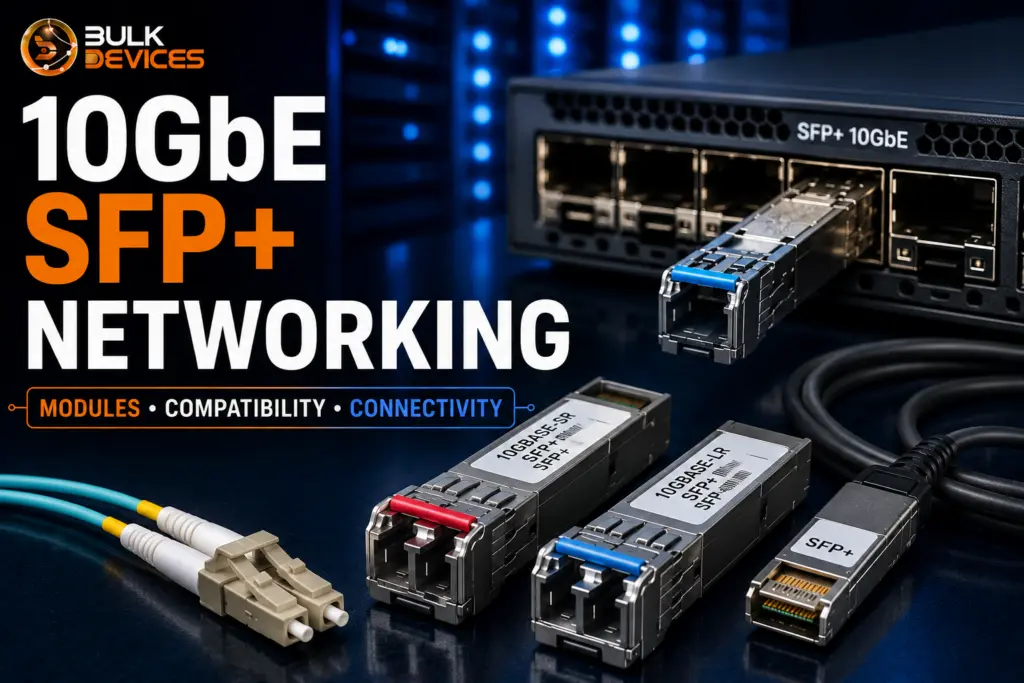
Quick Answer
SFP+ (Small Form-factor Pluggable Plus) is the connector standard used to carry 10GbE SFP+ networking traffic between switches, servers, and storage over fibre or copper. It slots into a switch’s uplink port and accepts different transceivers or cables depending on the distance and cable type you need.
- SFP+ supports 10 gigabit speeds; standard SFP tops out at 1 gigabit.
- You can add SFP+ ports to an existing switch using an SFP+ expansion module, or buy a switch with SFP+ built in.
- Not every SFP+ module works in every switch; vendor coding and compatibility lists matter.
- DAC cables suit short in-rack runs; fibre transceivers suit longer distances between rooms or floors.
- Getting the connector, cable length, and vendor compatibility right the first time saves you a returns headache later.
Introduction
If you’re planning a move to 10GbE SFP+ networking, you’ve probably already noticed how many moving parts are involved: modules, cables, uplink ports, and a long list of part numbers that all look vaguely similar. This guide walks through what SFP+ actually is, how it differs from older SFP, and how to connect a 10GbE uplink correctly the first time. We’ll use two real, commonly bought products as worked examples throughout: the JD368B expansion module and the Ubiquiti US-48 switch, so you can see how the theory applies in a genuine buying decision. By the end, you should be able to read a compatibility list with confidence and pick the right cable or module for your rack.
SFP vs SFP+: What’s the Difference?
There is no size difference between SFP vs SFP+; SFP vs SFP+ is about speed and generation. They share the same form factor (small, hot-swappable module that fits into a switch port), but are not interchangeable in terms of performance.
Standard SFP is for 1Gbps links and is widely used on older switches and lower bandwidth links. To accommodate 10Gbps connectivity over the same small form factor, SFP+ has been developed and is now the norm for today’s 10GbE uplinks between switches, servers, and storage arrays.
An SFP+ port will typically be able to support an SFP module because it is backward compatible, but the link will operate at 1Gbps instead of 10Gbps. The same goes for an SFP+ module (a standard SFP port will not accept an SFP+ module, since the electronics in the port are not designed to handle the higher data rate). Before you think that all of the accessories you already have will fit and run at full speed with your switch, verify this by looking at the port spec sheet.
How 10GbE SFP+ Networking Works
10GbE SFP+ networking uses a switch uplink port to connect to a similar transceiver or cable that then connects to another switch, server, or storage device. The SFP+ port itself is not actually a transmitter; it is a port that connects to the appropriate transceiver or direct-attach cable.
Whether a fibre or copper cage is inside that socket depends on the port type. A fibre SFP+ port is for an optical transceiver attached to a fibre patch lead, and some of the ports are designed for direct-attach copper cables, which include both the cable and connector in a single package. In either case, the signal being sent by the switch is converted into a format of light pulses or the electrical signal that the cable requires to transmit it.
The switching capacity of the device is also a factor. You could have all the Gigabit access ports you’d ever want on a switch, but only one or two SFP+ ports as high-speed uplinks — the “highway” that all that Gigabit traffic passes through as it reaches the rest of the network. The real trick to making a 10GbE connection end-to-end is a combination of fibre vs copper cage ports and choosing the appropriate connector to connect each end of the link.
SFP+ Expansion Modules Explained
If you already own a switch without built-in 10GbE ports, an SFP+ expansion module is usually the simplest way to add them without replacing the whole switch. This is precisely the situation the JD368B HP 5500 Series SFP+ expansion module is built for — it slots into a compatible chassis and adds two dedicated SFP+ ports for 10GbE uplinks.
The JD368B is designed specifically for the HP 5500 series switch family, including the A5500, E4800, and E4500 lines, with an exact supported model list and firmware requirements. This is a good example of why an HP 5500 SFP+ module isn’t a generic accessory — it’s built to match a specific chassis slot and switch architecture, so it won’t simply drop into any HP switch, let alone a switch from a different manufacturer.
Expansion modules like this are worth considering when:
- Your existing switch is otherwise doing its job well and doesn’t need full replacement.
- You only need a small number of 10GbE ports, typically for a server or storage uplink.
- Budget or downtime constraints make a full switch swap impractical right now.
The trade-off is that you’re limited to the number of expansion slots the chassis physically has, and to modules the manufacturer has validated for that specific switch generation. If you’re adding 10GbE ports to an existing switch, always check the exact model and hardware revision against the manufacturer’s supported list before ordering, rather than assuming that “HP 5500 series” alone is specific enough.
Switches With Built-in SFP+ Uplinks
The alternative approach is buying a switch that already has SFP+ ports built in, which removes the compatibility guesswork of matching an expansion module to a chassis. This is the case with switches with built-in SFP+ uplinks, like the Ubiquiti US-48, a popular choice for small-to-mid-sized networks that need Gigabit access with a fast uplink.
As for the Ubiquiti 48-port switch SFP+, the Ubiquiti US-48 provides 48 Gigabit ports for end devices, such as desktops, access points, cameras, and more, and 2x SFP+ uplink ports for high-speed connections. The SFP+ ports are not all sharing bandwidth; rather, they are the connections that the switch makes to your core switch, router, or server, and they provide the total workload of all 48 access ports without becoming the congestion point.
In practice, this means that if your switch has no uplink capacity available, then neither do its access ports. That’s 48 Gigabit devices attempting to reach the internet or a file server over a single Gigabit uplink, which would slow down and queue; a 10GbE switch SFP+ uplink has plenty of headroom. The choice of whether to use a fibre or DAC uplink to the core switch will depend on the distance you want to cover and the existing cabling – this will be covered in greater detail in the DAC vs fibre section below.
Whether to go with an expansion module or a switch with built-in SFP+ really depends on one’s existing gear. For those who are running an outdated switch or one that won’t support expansion cards, you can avoid the compatibility concerns by using a switch that is validated and configured with the 10GbE ports from the factory, such as the US-48.
SFP+ Compatibility: What to Check Before You Buy
SFP+ module coding compatibility is the single most common reason a “compatible” module fails to link up. Many switch manufacturers program their switches to check the module’s internal coding — a small chip identifying the manufacturer — before allowing it to operate at full speed, or at all.
This means the physical connector fitting into the port tells you nothing about whether the link will actually establish. Genuinely knowing how to choose an SFP+ module means checking three things before you buy:
- Module coding — some switches will refuse or throttle third-party modules that aren’t coded to match the switch vendor, even if the hardware is otherwise identical.
- Vendor compatibility list — most enterprise switch manufacturers publish an official supported transceiver list; checking a specific model and firmware version against that list is more reliable than assuming a “universal” module will work.
- Hardware revision — even within the same product family, different hardware revisions can have different port electronics, which occasionally affects which modules or expansion cards are supported.
It’s worth being direct about this: SFP+ is not universally interchangeable across every switch brand, and treating it as if it were is the fastest route to a returned order. Mixed-vendor links — where the module manufacturer differs from the switch manufacturer — sometimes work perfectly and sometimes don’t, largely depending on how strictly that particular switch enforces its coding checks. If you’re not certain, it’s worth browsing our full range of SFP+ and switch expansion modules and checking the listed compatibility against your exact switch model before ordering, rather than relying on the connector type alone.
DAC Cables vs Fibre SFP+ Transceivers
The choice between the SFP+ DAC cable vs fiber transceiver is typically based on distance, cost, and the amount of power consumption needed in the rack. They connect to the same SFP+ port, but the connection itself is done differently.
- Direct attach copper (DAC) cable: Transceivers are permanently soldered to the end of a fixed-length copper cable and are therefore purchased as a unit, not a transceiver along with a patch lead. Passive DAC cables do not include signal amplification and should be used for shorter runs, such as within the same rack and between neighbouring racks. Active DAC cables are cables with signal-boosting electronics, which can be used with slightly longer runs than passive cables but which still use a copper cable instead of fibre.
Fibre transceivers, on the other hand, are optical modules that are separately linked to a fibre patch lead of any length required. SR (short reach) transceivers are for shorter multimode fibre runs usually within a building, whereas LR (long reach) transceivers are built for longer distances, between buildings or across a large site.
As a broad rule, DAC cables are typically the lower power and lower cost solution for short in-rack links, and fibre transceivers are a more viable option when running cable beyond the single rack or room. DAC and fibre are different types of connections and will have varying distance limits — it is important to match the type of connection to the actual physical run — otherwise the need to re-cable later will be avoided, as it is not always the cheapest option.
Connectivity Quick Reference
There are different SFP+ transceiver types and cables that are best for various tasks. The table may serve as a guideline for the specification of a link, and then verification with the manufacturer’s data sheet for the exact distance ratings of the specific product.
| Cable / Module Type | Typical Max Distance | Typical Use Case |
|---|---|---|
| Passive DAC (copper) | Short in-rack runs | Switch-to-switch or switch-to-server within the same rack |
| Active DAC (copper) | Slightly longer than passive DAC | Adjacent racks where fibre isn't already run |
| SR fibre transceiver (multimode) | Short-to-medium building runs | Floor-to-floor or room-to-room links within one building |
| LR fibre transceiver (single-mode) | Longer campus/site runs | Building-to-building or longer site backbone links |
| 10GBASE-T copper module | Standard structured cabling distances | Reusing existing Cat6a/Cat7 copper cabling for a 10GbE link |
| Standard SFP (1Gbps) | Legacy runs at lower speed | Backward-compatible link where 10GbE isn't required |
Common SFP+ Networking Mistakes to Avoid
Most SFP+ networking mistakes aren’t about a faulty product — they’re about an assumption made before ordering. The most frequent ones we see are:
- Assuming plug fit means compatibility. An SFP+ module physically fitting the port doesn’t guarantee the switch will accept its coding or run it at full speed.
- Mixing DAC speed ratings. A DAC cable rated for a different speed standard than the ports it’s connecting to won’t simply “step down” reliably — check both ends match the intended speed.
- Ignoring vendor coding. Buying the cheapest available module without checking whether the target switch enforces vendor-specific coding checks.
- Wrong cable length for the rack. Ordering a DAC cable that’s too short to route tidily, or too long and left coiled awkwardly, both of which cause avoidable cabling headaches.
- Overlooking firmware requirements. Some expansion modules and transceivers need a minimum switch firmware version to be recognised correctly.
Working through the compatibility checks in the section above before placing an order avoids the large majority of these issues.
Frequently Asked Questions
What is the difference between SFP and SFP+?
Although SFP supports 1Gbps speeds in the same physical form factor, SFP+ supports 10Gbps. SFP+ ports can typically be connected to SFP modules at lower speeds, while SFP ports will not support SFP+ modules at any speed.
Can I use any SFP+ module in my switch?
Not necessarily. A lot of switches go by the module’s internal coding and may limit or even refuse modules that are not on their list of compatible codes.
What is the difference between a DAC cable and an SFP+ transceiver?
A DAC cable has fixed transceivers built into both ends of a set-length copper cable. An SFP+ transceiver is a separate module you plug in yourself, connected to a fibre patch lead of your chosen length.
Do I need an expansion module or a switch with built-in SFP+ ports?
If your current switch supports expansion slots and is otherwise still fit for purpose, a module can add 10GbE ports cheaply. If your switch is older or lacks expansion options, a switch with SFP+ built in avoids compatibility questions entirely.
What does the JD368B expansion module fit?
The JD368B is built for the HP 5500 series switch family, adding two SFP+ ports to a compatible chassis. Always confirm your exact switch model and firmware version against HP’s supported list first.
How far can a 10GbE SFP+ connection run?
It is totally dependent on the type of cable or transceiver being used — DAC cables work well for short runs in the rack, whereas SR and LR fibre transceivers are for increasingly longer distances. Refer to the datasheet of the individual product for exact figures.
Final Thoughts
The correct port, module, or cable, and the correct switch compatibility rules are largely the keys to getting 10GbE SFP+ networking right. No matter if you’re upgrading an existing HP switch with an expansion module, or selecting the switch from the beginning that already has SFP+ capability, you want to go through compatibility checking before ordering, which makes for a seamless upgrade. When you need 10GbE networking parts UK buyers can trust for stock availability and quick delivery in the UK, look to our comprehensive networking range at BulkDevices, and we’ll do our best to ensure you get the right module or cable for your networking switch prior to purchase.