





Laptop Memory
Are you tired of a slow and universal laptop? Looking for a smooth way to promote your system's overall performance? Upgrading your PC memory (RAM) is one of the simplest strategies to speed up your PC, improve multitasking, and increase average efficiency. Whether you are a gamer, a specialist with broad applications, or a casual person who wants an easy overall performance, selecting the right DDR4 PC RAM can create a full size difference. We offer a premium selection of laptop memory upgrades to help get the best from our device. Browse our top-selling laptop RAM modules below and find the perfect fit for your system.
Read more about Laptop Memory
Laptop Memory
-
![]()
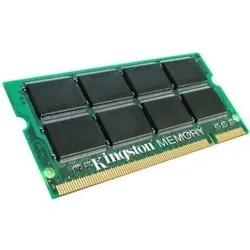
KTM-TP770128 - Kingston 128MB 66MHz PC66 non-ECC Unbuffered 144-Pin SoDimm Memory Module
SKU: KTM-TP770/128
Brand: Kingston Technology
Savings:0.00 -
![]()
Z4Y86AA#ABA - HP 16GB PC4-19200 DDR4-2400MHz non-ECC Unbuffered CL17 260-Pin SoDimm 1.2V Dual Rank Memory Module
SKU: Z4Y86AA#ABA
Brand: HP
Savings:0.00 -
![]()
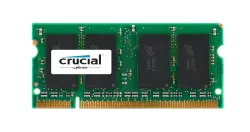
CT777551 - Crucial 2GB DDR2-800MHz PC2-6400 non-ECC Unbuffered CL6 200-Pin SoDimm Memory Module
SKU: CT777551
Brand: Crucial Technology
Savings:0.00 -
![]()
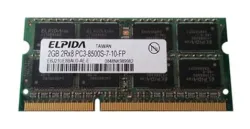
EBJ21UE8BAU0-AE-E - Elpida 2GB DDR3-1066MHz PC3-8500 non-ECC Unbuffered CL7 204-Pin SoDimm 1.35V Low Voltage Dual Rank Memory Module
SKU: EBJ21UE8BAU0-AE-E
Brand: Elpida Memory
£95.62 £79.68Savings:0.00 -
![]()
M471B5673DH1-CF8 - Samsung 2GB DDR3-1066MHz PC3-8500 non-ECC Unbuffered CL7 204-Pin SoDimm 1.35V Low Voltage Dual Rank Memory Module
SKU: M471B5673DH1-CF8
Brand: Samsung
£57.60 £48.00Savings:0.00 -
![]()
KTT1066D3/2G - Kingston Technology 2GB DDR3-1066MHz PC3-8500 non-ECC Unbuffered CL7 204-Pin SoDimm 1.35V Low Voltage Memory Module
SKU: KTT1066D3/2G
Brand: Kingston Technology
£87.05 £72.54Savings:0.00 -
![]()
F679F - Dell 1GB DDR3-1066MHz PC3-8500 non-ECC Unbuffered CL7 204-Pin SoDimm 1.35V Low Voltage Memory Module
SKU: F679F
Brand: Dell
£82.70 £68.92Savings:0.00 -
![]()
HMT325S6BFR8C-H9 - Hynix 2GB DDR3-1333MHz PC3-10600 non-ECC Unbuffered CL9 204-Pin SoDimm 1.35V Low Voltage Single Rank Memory Module
SKU: HMT325S6BFR8C-H9
Brand: Hynix
£60.00 £50.00Savings:0.00 -
![]()
CT316639 - Crucial Technology 512MB DDR-333MHz PC2700 non-ECC Unbuffered CL2 200-Pin SoDimm 2.5V Memory Module
SKU: CT316639
Brand: Crucial Technology
£89.53 £74.61Savings:0.00 -
![]()
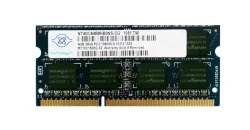
NT4GC64B8HB0NS-CG - Nanya 4GB DDR3-1333MHz PC3-10600 non-ECC Unbuffered CL9 204-Pin SoDimm 1.35V Low Voltage Dual Rank Memory Module
SKU: NT4GC64B8HB0NS-CG
Brand: Nanya Technology Corporation
£116.40 £97.00Savings:0.00 -
![]()
M470T2953EZ3 - Samsung 1GB DDR2-667MHz PC2-5300 non-ECC Unbuffered CL5 200-Pin SoDimm 1.8V Memory Module
SKU: M470T2953EZ3
Brand: Samsung
£84.19 £70.16Savings:0.00 -
![]()
M471B5773CHS-CF8 - Samsung 2GB DDR3-1066MHz PC3-8500 non-ECC Unbuffered CL7 204-Pin SoDimm 1.35V Low Voltage Memory Module
SKU: M471B5773CHS-CF8
Brand: Samsung
£121.62 £101.35Savings:0.00

Featured Products


Top Laptop RAM Upgrade for Maximum Display
1. HYNix HMCG66MEBSA092N - 16GB DDR4 laptop RAM
If you are looking for a powerful upgrade to enhance your laptop speed and multitasking capacity, HYNix 16GB DDR4 RAM is an excellent choice. This high demonstration is perfect for RAM module gamers, video editors, and power users who demand seamless processing power.
- Capacity: 16GB - Ideal for many applications, gaming and heavy charging.
- Speed: 3200 MHz (PC4-25600)-Ultra-fast data transfer and system enable accountability.
- Form Factor: Compatible with most modern laptops for SO-DIMM-Asan installation.
- Voltage: 1.2V - Energy efficiency and long battery adapted to life.
With this HMCG66MEBSA092N 16GB DDR4 module, expect an interval-free experience, whether you are working on complex video editing projects, running several browser tabs, or indulging in high-performing gaming.
2. Dell SNP6VDNYC/8G - 8GB DDR4 Laptop RAM
For those looking for a budget-friendly, effective laptop memory upgrade, Dell SNP6VDNYC/8G 8GB DDR4 RAM is a great option. This improves everyday performance, making your laptop more sensitive and efficient for normal computing functions.
- Capacity: 8GB – Ensures smooth multitasking and rapid application
- Loading Speed: 3200 MHz (PC4-25600) this permits for higher device overall performance and reliability.
- Voltage: 1.2V, Maximising efficiency consumes low electricity.
This SNP6VDNYC/8G DDR4 RAM module is first-rate and applicable for college kids, office users, and casual computer customers who want a problem-loose revel in with higher accountability for everyday sports.
Why Upgrade the Portable Memory?
Upgrading the laptop is one of the most cost-effective methods to increase performance without buying a new device. Adding more memory here can greatly improve your computing experience:
- Rapid boot and load time: Say goodbye to slow startups and lagging applications. More RAM ensures that your laptop moves rapidly and more efficiently.
- Seamless Multitasking: Run several apps, browser tabs, and heavy software without experiencing recession or crash.
- Enhanced gaming performance: Play intensive games while enjoying smooth gameplay, high FPS, and better response time.
- Energy Efficiency: DDR4 RAM modules require low electricity, increasing the battery life of your computer.
- Easy installation: No technical expertise is required! It takes just minutes to upgrade your RAM, and it is a simple, plug-and-play process.
How to Install Laptop RAM?
Upgrading the laptop is a simple task, even for beginners.
Follow these steps to safely install your new RAM module:
- Close your laptop and unplug it. Remove the battery if possible.
- Find the RAM compartment. It is usually found behind the laptop, secured with screws.
- Open the compartment. Carefully ignore and remove the cover to reach the existing RAM slot.
- Insert a brand new RAM module. Align it properly and gently push it into the slot until it clicks in place.
- Re-assembled and on power. Keep everything back in place, turn your laptop, and check the system properties to confirm the upgrade.
Choosing The Right RAM For Your Laptop
Before purchasing a new RAM module, consider these factors to ensure compatibility with your system:
- Laptop Model Compatibility: Check your laptop specifications to see the maximum supported RAM capacity and speed.
- RAM potential: 16GB is recommended for gamers and professional users.
- Speed and Performance: Opt for 3200 MHz DDR4 RAM for immediate data transfer rates and better duty.
- Form Factor: Most Laptops use SO-DIMM RAM; ensure that the module you choose is compatible with the memory slot of your laptop.
Benefits of Upgrading To DDR4 RAM
- Better performance and efficiency: DDR4 provides a speed of speed and lower delays than Memory DDR3.
- Uses low power consumption: Cowal 1.2V, makes it an energy-skilled and extended battery life.
- Increased stability: DDR4 modules have improved error correction and heat dissipation, reducing accidents and overheating.
- Future-proof Upgrade: DDR4 is the current standard, ensures consistency with new laptops and softwares.
Invest in a high-quality DDR4 RAM upgrade today! If your laptop looks pale, upgrading your ram is the easiest way to breathe a new life. For gaming and intense functions you need an ultra-fast 16GB RAM or a cheap 8GB option for everyday computing, we have covered you.
At Bulk Devices, we provide high-demonstration laptop memory modules at the best prices. Now shop and experience better efficiency with increased speed, spontaneous multitasking, and a RAM upgrade that matches your needs.