

P51461-B21
P51461-B21 - HPE P5620 3.20TB U.2 PCI Express NVMe 4.0 Mixed Use 2.5-inch Internal Solid State Drive
Request For QuotationSSDs are also known as solid-state drives. They have given an outstanding data storage solution by providing quicker performance, enhanced dependability, and greater energy efficiency than old-style HDDs. Also, as technology is becoming more advanced in SSDs, they have become more popular and can fulfil consumer or enterprise requirements perfectly. Therefore, if you are looking for speed and productivity for enterprise work or personal use, top-quality SSDs can give you supreme advantages over conventional storage devices. So, let's discuss SSD's benefits over HDDs and will try to cover all your queries as well.
Read more about Solid State Drive
P51461-B21 - HPE P5620 3.20TB U.2 PCI Express NVMe 4.0 Mixed Use 2.5-inch Internal Solid State Drive
Request For Quotation
750222-001 - HP 400GB SAS 12Gb/s 2.5-inch Internal Solid State Drive

KPM51VUG6T40 - Toshiba PM5-V Series 6.4TB TLC SAS 12Gb/s Mixed Use 2.5-inch Internal Solid State Drive
Request For Quotation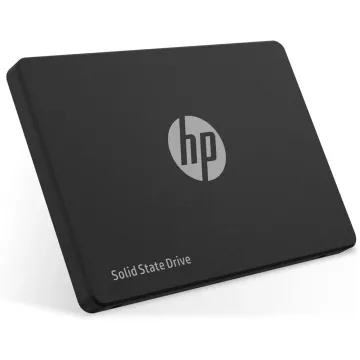
868834-009 - HP 960GB SATA Read Intensive Solid State Drive
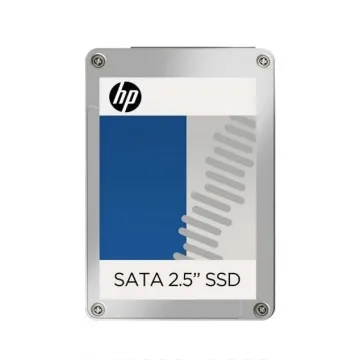
MZ7KM480HMHQ-000H3 - HP 480GB SATA 6G Mixed Use LFF 3.5-Inch Internal Solid State Drive
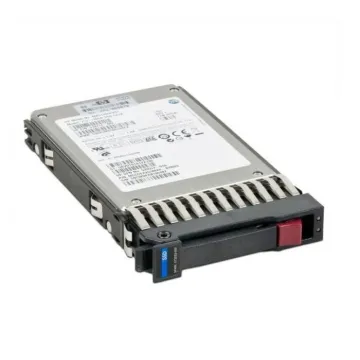
P47844-B21 - HPE 960GB U.3 PCI Express NVMe 3.0 Read Intensive 2.5-inch Internal Solid State Drive
Request For Quotation
P19947-K21 - HPE 480GB SATA 6Gb/s Mixed Use 2.5-inch Internal Solid State Drive
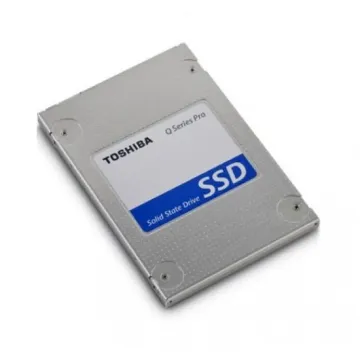
PX05SVB080 - Toshiba Enterprise 800GB MLC SAS 12Gb/s Mixed Use 2.5-inch Internal Solid State Drive
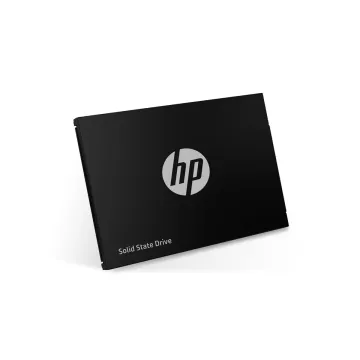
P23927-B21 - HPE 960GB SATA 6Gb/s Mixed Use 2.5-inch Internal Solid State Drive for Cloudline

P09722-K21 - HPE 1.92TB SATA 6Gb/s Mixed Use 2.5-inch Internal Solid State Drive

869390-011 - HP 960GB SATA 6Gb/s Read Intensive Solid State Drive

P07183-B21 - HPE 3.2TB PCI Express x4 NVMe Mixed Use 2.5-inch Internal Solid State Drive
At first, SSDs were considered the finest option and were utilised in high-performance computing places because of their reasonable cost. However, with the new advancements such as flash memory technology and controller efficiency, the SSD's cost has greatly been reduced, making it an attractive choice for the average consumer.
SSDs contain solid-state memory modules. Instead of rotating platters, which allows access to data at nanosecond-level speeds. Furthermore, it gives faster results, such as quick boot times, application load speeds, and file transfer rates, compared to hard disc drives.
SSDs are based on a single piece without any moving parts, so they are now more unaffected by physical shocks and also contain fewer chances of mechanical failure. Therefore, these advanced features make them ideal for laptops, gaming fans, and even enterprise places where dependable uptime is necessary.
Moreover, SSDs are good as they minimise energy usage as compared to HDDs, which leads to longer battery life in laptops and even reduced costs in data centres. Furthermore, their effective design also maintains cooler temperatures that guarantee stable performance over long usage periods.
This Samsung MZILS1T6HEJH0D3 is amazing and an extended-storage SSD, which is manufactured for enterprise applications where consistency and good performance are required.
It is suitable for data centres, cloud storage applications, and even fine for strategic workloads where high-speed access to data is essential.
This Intel SSDSC2KB480G7 is a unit of Intel's DC S4500 SSD lineup, which is manufactured for data centre places where power efficiency and durability are important considerations.
In short, it is suitable for workloads like web hosting, virtualisation, and database administration.
SSDs have given good benefits to their consumers, such as faster boot times and good gaming performance with exceptional multitasking options. So, preferring SSDs to HDDs is one of the most cost-effective ways to boost your computer’s speed.
Businesses that depend on data processing, cloud storage work, and virtual machinery can benefit importantly from SSD integration. Also, quicker data recovery functionalities, operational work, and lower latency give easy handling of large volumes of data.
Furthermore, SSDs are also energy-efficient for computing as they consume less power than HDDs. Also, several MNCs utilise SSD-based storage solutions to reduce their carbon footprint and to achieve cost savings as well.
Here are a few things that you should consider while purchasing an SSD for you.
Therefore, considering SSDs over HDDs will give an essential shift in storage technology. It doesn't matter if you are a tech fan, a business owner, or an enterprise IT specialist; considering SSD technology will give you a superior computing experience. You can visit bulk devices to get a top-notch SSD device for you, as we have a premium collection of solid-state drives.
1. What is the Lifespan of an SSD Compared to an HDD?
SSD lifespan depends on its quality and performance, but most of them are probably considered more long-lasting than HDDs due to the absence of moving parts.
2. Can I use an SSD for gaming?
Yes! SSDs help reduce the loading times of games and deliver smoother gameplay experiences.
3. How Can I Upgrade My Computer with an SSD?
You have to replace your existing hard disc drive with an SSD and have to reinstall your operating system to enjoy better speed and performance!