

Quick Answer: A Redundant Power Supplies setup gives a server more than one power supply unit (PSU) to rely on. If one stops working, the other can continue supplying the power the server needs. The changeover happens automatically, so the server can stay online instead of shutting down and waiting for someone to replace the failed unit.
- A server with one PSU can go offline if that PSU fails.
- Redundant PSUs can share the server’s power demand during normal operation.
- When one unit fails, the remaining PSU takes over automatically.
- A hot-swap design can allow a failed PSU to be changed without turning the server off.
- Redundant PSUs deal with PSU failure, not a complete loss of mains power.
A power supply is easy to overlook when choosing server hardware. Most people naturally pay more attention to storage, memory, processors, or networking. But if the PSU is the part that fails, none of those components matter for a server that has suddenly lost power.
“That is where a redundant power supply server setup comes in. Instead of putting the entire server’s power needs on one unit, the system has another PSU available to keep things running if something goes wrong.
What Is a Redundant Power Supply?
A redundant power supply is basically a server power arrangement with two or more PSU modules. The system is designed so that the server can continue operating even when one of those units stops working.
While everything is running normally, the PSUs can share the power demand. If one develops a fault, the other takes over the additional load. The important thing is that this happens without requiring someone to manually shut down and restart the server.
This becomes especially useful in high availability (HA) environments. Consider a server running an online store, database, application, or other service people need to access throughout the day. A sudden shutdown during normal activity can create a much bigger problem than simply turning the machine back on.
For that kind of workload, having another PSU available can remove one fairly common hardware failure from the list of things that can bring the server down.
How Redundant PSUs Actually Prevent Downtime
The useful part of redundancy is not simply having an extra power supply inside the case. The server needs to be able to move the load from a failed unit to a working one. That process is known as automatic failover.
For example, imagine two redundant PSUs running in a server. Everything is fine until one of them develops a fault. Rather than allowing the server to lose power, the system shifts the demand to the PSU that is still working. There is no need for an employee to notice the problem first and manually change anything.
The Intel AXX1100PCRPS 1100W redundant power supply is a good example to look at. It is an AC Common Redundant unit, with two modules operating within the same chassis. Each module can support the server’s full power requirement when necessary.
So, if one module fails because of a component problem or another hardware fault, the second one can continue supplying power. The server does not have to stop simply because one of the two units has failed.
That can be important for a database or e-commerce server. If a machine goes down while an order is being processed or information is being written to a database, the interruption can cause problems for both the business and its users. Keeping the server running gives the technician time to deal with the faulty PSU without making the failure itself become a service outage.
Single PSU vs Redundant PSU: The Real Risk
A server with one PSU has one obvious weakness: there is nothing else to take over if that unit stops working.
This is what people mean by a single point of failure (SPOF). The rest of the server could be perfectly healthy, but one failed component can still stop the entire machine from operating.
That does not mean a single PSU is automatically the wrong choice.
The Dell 04FGD7 290W desktop power supply is a good example. It is designed for a Dell OptiPlex desktop, where having one power supply is a normal arrangement. If that desktop goes down, the impact may be limited to the person using it.
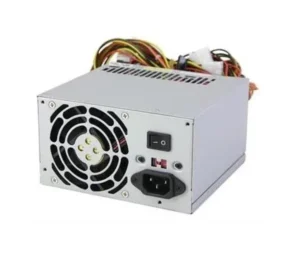
A production server is a different matter. If it is handling an important application or customer-facing service, an unexpected shutdown can affect many people at once. In that situation, the absence of a second PSU becomes a much more noticeable risk.
So the question is not really whether a single PSU is good or bad. It comes down to what the machine is doing and how much interruption the business can tolerate.
N+1 vs 2N Redundancy Explained
You may come across N+1 redundancy and 2N redundancy when looking at server power configurations. Although the names sound similar, the setups are different.
With N+1, the server has the number of PSUs it needs to handle its normal load, plus one additional unit. If two PSUs are required, for example, the setup would have three. Two provide the required capacity, and the third is available if one fails.
It is a relatively straightforward way to add protection without doubling the entire power system.
2N takes a more complete approach. Instead of adding one extra PSU, the required power capacity is duplicated. This means there is another full set of capacity available if the first set is lost.
Naturally, that requires more hardware and a larger budget. It is therefore more commonly associated with environments where keeping infrastructure running is particularly important.
For many ordinary business servers, N+1 can provide the additional protection they need without the expense of fully duplicating the power capacity.
Hot-Swap Capability: Replacing a Failed PSU Without Downtime
Finding out that a PSU has failed is one problem. Having to shut the server down to replace it is another.
A hot-swap design can make the replacement much easier. If the server and PSU support this feature, the faulty module can be removed while the server is still running. The other PSU continues supplying the required power during the replacement.
Picture a technician receiving an alert that one PSU has stopped working. There may be no reason to wait until the evening or weekend to fix it. The technician can remove the failed module, put the replacement in place, and get the redundant setup back to normal while users continue using the server.
That is the practical benefit of a hot-swappable module. The repair can happen without turning a hardware fault into a planned server outage.
Of course, the feature should always be confirmed for the particular server and PSU before removing anything while the system is powered on.
Load Sharing and Failover: How It Works in Practice
The PSUs in a redundant system are not necessarily sitting around doing nothing until one fails. During normal operation, they can share the server’s power demand.
This is where redundant PSU load sharing comes into play. The available units handle portions of the load while the server is operating normally.
Then something changes. One PSU develops a fault and stops contributing. The remaining unit takes on the load automatically. There is no need to wait for a technician before the server can continue running.
The technician still needs to replace the failed PSU, of course. An alert is useful because it tells the IT team that the redundancy has been reduced and the faulty unit needs attention.
The important difference is that the server does not have to wait for that repair before continuing its work.
When Redundant PSUs Are Worth It (and When They’re Not)
Whether redundant power is worth the extra hardware depends on the server.
For a production server running a website, database, business application, or customer-facing service, an unexpected shutdown can affect much more than one machine. It may interrupt employees, customers, transactions, or other systems that depend on it.
In that situation, having a second PSU can be a sensible part of the server setup.
A development server is different. So is a test machine or an internal system that can be taken offline without causing serious disruption. If a short outage is acceptable, spending more on redundant power may not make much sense.
It is worth looking at the actual workload rather than assuming every server needs the same level of protection.
If you are comparing options, you can browse our full range of power supplies and look at redundant and standard models according to the server you are using.
What Redundant PSUs Protect Against (and What They Don’t)
There is one important limitation to remember: redundant PSUs only solve a particular type of power problem.
A redundant PSU setup protects against server power supply failure. That can include a hardware fault inside the PSU or something such as PSU fan failure, which may cause a unit to overheat and shut down.
It does not cover everything that can interrupt a server.
- A complete site power outage: If electricity disappears from the building, both PSUs can lose their source of power. A UPS is used for short-term backup, while a backup generator can provide power for longer interruptions.
- Other server hardware failures: A redundant PSU cannot stop a motherboard, processor, memory, or storage device from failing.
- Software problems: An operating system crash or application fault is unrelated to PSU redundancy.
- A failed rack power feed: If both PSUs depend on the same electrical circuit, losing that circuit can still take the server offline. Separate circuits, or dual power feeds, provide another layer of protection.
This is why redundancy should not be treated as a complete answer to server downtime. It handles PSU failure well, but other risks need their own solutions.
Redundancy Configurations Compared
| Configuration | Minimum Units | Spare Capacity | Protection Level | Typical Use Case |
|---|---|---|---|---|
| N | Exactly what's needed | None | No redundancy — any failure causes downtime | Desktops, dev boxes, non-critical systems |
| N+1 | Load requirement + 1 | One spare unit | Covers a single PSU failure | Most production business servers |
| 2N | Fully duplicated | Full matching capacity | Can lose half the PSUs and stay at full power | Mission-critical infrastructure, data centres |
The easiest way to understand this table is to see how much backup is available in each of the setups. N adds no unit, N+1 adds 1 spare unit, 2N doubles the capacity required.
Common Misconceptions About Redundant Power Supplies
A few misunderstandings tend to come up when people first look into redundant power supplies.
Redundant means it can handle a full outage.
It cannot. If the building loses its electrical supply, having two PSUs does not help because both units have lost their source of power. That situation requires a UPS or another form of backup power.
Any two PSUs are automatically redundant.
Not necessarily. Simply putting two power supplies in the same server does not guarantee proper redundancy. The system needs to be designed so that the remaining unit can support the required load if one fails. Automatic failover also needs to be supported.
Redundancy replaces the need for a UPS.
These two systems have different jobs. A redundant PSU protects against the failure of a PSU inside the server. A UPS protects the server when its incoming power supply is interrupted.
Using one does not make the other unnecessary.
Final Thoughts
A redundant power supply is not designed to prevent every possible server outage. Its job is much more specific: keep the server powered if one of its PSUs fails.
That may sound like a small thing until it happens on a server that is handling live business activity. Without another PSU, a failed unit can stop the entire machine. With suitable redundancy, the server can continue running while the faulty hardware is dealt with.
For businesses running important production systems, that extra layer of protection can be useful. For less critical machines, a standard PSU may be all that is required.
If you are comparing different options, see the full range at BulkDevices for both redundant and standard PSUs across a range of server and desktop configurations.
FAQs
Does a redundant power supply protect against a full power outage?
No. A redundant power supply protects against one PSU failing while the server’s incoming power remains available. If the building loses power, a UPS is needed for short-term backup. A backup generator can provide power for longer interruptions.
What is N+1 redundancy?
N+1 redundancy means having one additional PSU beyond the minimum number required for the server’s load. If a server needs two PSUs, an N+1 arrangement would have three. The additional unit is available if one of the others fails.
Can I replace a failed redundant PSU without shutting down the server?
If the server and PSU support hot swapping, yes. The remaining PSU can continue carrying the load while the failed unit is removed and replaced.
What’s the difference between N+1 and 2N redundancy?
N+1 adds one PSU beyond the number needed for the server’s load. 2N duplicates the complete required power capacity. The latter uses more hardware and therefore requires a larger investment.
Is a redundant power supply worth it for a small business server?
It depends on the role of the server. If it supports customer-facing services or important business applications, avoiding a shutdown caused by one PSU failure can be useful. If it is only used for development or testing and occasional downtime is acceptable, a single PSU may be sufficient.
Does a redundant PSU replace the need for a UPS?
No. They protect against different problems. A redundant PSU helps when one power supply unit fails, while a UPS helps when the electrical supply going into the server is interrupted. Both can therefore have a place in a server’s overall power protection setup.