
Quick Answer
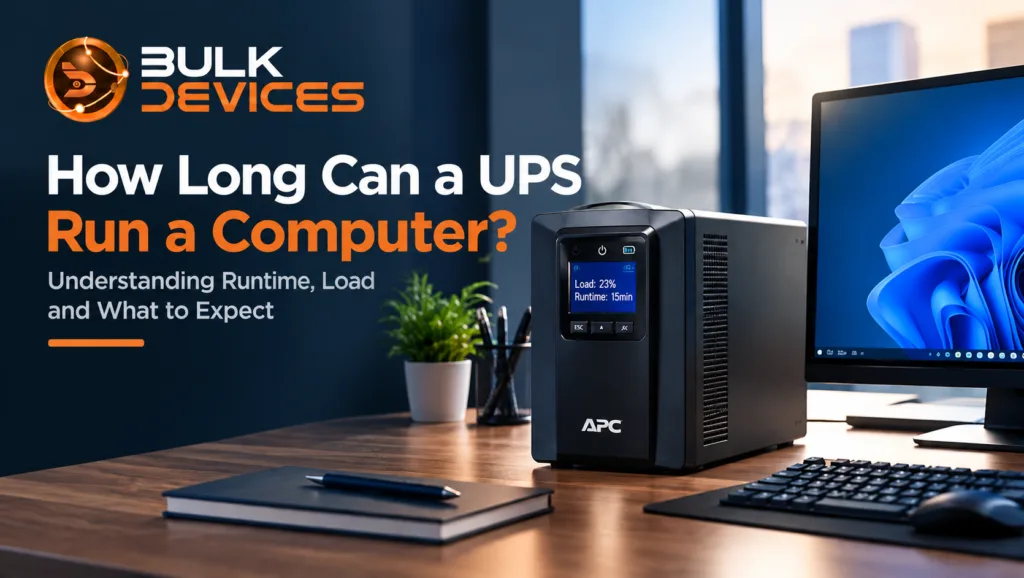
If the power goes out, a UPS (Uninterruptible Power Supply) can usually keep a desktop computer running for a few minutes. In some cases, you may get around 15 to 20 minutes, but you shouldn’t expect a standard UPS to keep your PC running for hours.
The actual runtime depends on the UPS battery, the amount of power your computer uses, and anything else connected to the unit.
Here are the main things to remember:
- A UPS uses a rechargeable battery, so its backup time is always limited.
- The Watts rating is more useful than the VA (volt-amps) number when working out how much equipment a UPS can handle.
- Adding more devices can reduce runtime quite quickly.
- Most home and office UPS units are designed to give you enough time to save your work and shut down safely.
- For the most accurate runtime, check the manufacturer’s runtime chart for your exact UPS model.
Introduction
If you’ve recently bought a UPS or you’re thinking about getting one before the next power cut, you may be wondering how long can a UPS run a computer.
There’s no single answer because every setup uses a different amount of power. A desktop PC with a basic monitor won’t put the same demand on a UPS as a powerful workstation with several connected devices.
The good news is that you can get a reasonable idea of UPS runtime during a power cut by looking at the UPS capacity and the amount of power your equipment uses.
In this guide, we’ll also look at how to calculate UPS runtime using the APC SMT750I as a practical example. We’ll also clear up another common point of confusion: the Cisco C3KX-PWR-715WAC is a power supply for a network switch, not a UPS. It doesn’t contain a battery, so it cannot provide backup power during an outage.
How a UPS Actually Works
A UPS keeps your computer running by switching to its internal battery when the mains power goes off. The battery stores DC power, while an inverter converts that stored energy into the AC power your computer needs.
The changeover happens very quickly. In normal circumstances, it’s fast enough that your computer keeps running without you noticing the switch.
A UPS has two important parts that make this possible: the battery and the inverter. The battery stores the energy, while the inverter changes it into usable power for the connected equipment.
Many home and small-office UPS systems are line-interactive. They normally run from mains power and keep the battery charged. When the incoming power drops or fails, the UPS steps in and supplies power from the battery.
Larger business systems may use online double-conversion technology. These units continuously process the incoming power through the battery and inverter, providing a more consistent output. They are generally more expensive than standard home and office UPS systems.
A UPS can also do more than keep your equipment running during a complete blackout. Many models help deal with short voltage drops and power surges, giving connected equipment an extra layer of protection.
What Determines UPS Runtime?
Three main things affect how long a UPS can keep your equipment running: its VA and Watts rating, the amount of equipment connected to it, and the size of its battery.
Battery capacity is commonly measured in amp-hours (Ah). A larger battery has more stored energy available, but that energy still has to be shared between all the devices connected to the UPS.
The more power your equipment uses, the faster the battery will drain. That’s why the same UPS might provide one person with 20 minutes of backup while another person gets only five minutes.
The percentage of the UPS capacity you’re using is therefore important. A lightly loaded UPS generally gives you more runtime than the same unit operating close to its limit.
Calculating Runtime for Your Setup (Worked Example: SMT750I)
To estimate your UPS runtime, start by adding up the Watts used by everything connected to it. When doing this, pay attention to the UPS’s Watts rating rather than relying only on its VA rating.
Take the APC Smart-UPS SMT750I as an example. It has a rating of 750VA and 500W.
A typical desktop PC and monitor might use around 150–250W during normal use, although the actual figure depends on the hardware inside the computer and what you’re doing with it.
The lower the load compared with the UPS’s 500W limit, the longer the battery is likely to last. Running the SMT750I with a relatively light load will therefore give you more backup time than running it close to its maximum capacity.
For an exact runtime at a particular load, it’s best to use APC’s published runtime chart for the SMT750I. General estimates can give you an idea, but the manufacturer’s figures are more useful when you’re planning your setup.
As a rough guide, you can expect several minutes at heavier loads and potentially 15 minutes or more with lighter loads. For most desktop users, that should be enough time to save important files and shut the computer down properly.
Why Watts Matters More Than the VA Rating
It is generally easy to get caught up in the large VA number that is on the UPS box. But Watts provides you with a better picture of the power that can be utilized by the UPS.
The units of VA and watts are not the same. The difference is due to a phenomenon known as power factor.
The actual Watts capacity for a UPS that is used with a computer and small office equipment is less than the VA rating. So a UPS labelled 750VA doesn’t automatically mean that it can supply 750W to your equipment.
For this reason, look to the Watts to determine if a UPS can power your computer and other devices. It’s easy to have the UPS appear to be a stronger partner than it is when considering just VA.
UPS vs an Ordinary Power Supply: Why a PSU Alone Won’t Help
A UPS and a computer power supply do completely different jobs.
For example, the Cisco C3KX-PWR-715WAC switch power supply is a 715W power supply designed for a Cisco 3750-X switch. It’s designed to convert incoming mains electricity into the power required by the switch.
What it doesn’t have is a battery.
That means it cannot keep the switch running when the mains supply disappears. Once the incoming power is gone, the PSU has no stored energy to use.
A UPS works differently because it has a battery specifically for this purpose. If you need your computer or network equipment to stay on during a power cut, you need a UPS or another suitable backup power system. A normal power supply, regardless of its wattage, cannot provide battery backup by itself.
Real-World Runtime Examples by Load Type
The equipment connected to your UPS has a major effect on how long the battery lasts.
A desktop PC on its own may use a relatively modest amount of power. Once you add a monitor, the total load increases and the available runtime becomes shorter.
A small server can use even more power because it may run continuously under a higher load. Network equipment such as switches and routers may use less power individually, but connecting several devices to the same UPS can quickly increase the total load.
Another important point is that runtime doesn’t always fall in a simple, predictable way as you add more equipment. A higher load can make the battery drain much faster, so doubling the connected load doesn’t necessarily mean you’ll get exactly half the runtime.
This is one reason real-world UPS runtime can be quite different from what someone expects after looking at the capacity printed on the box.
How to Genuinely Extend UPS Runtime
The easiest way to extend UPS runtime is to reduce the amount of equipment drawing power from the battery.
Only connect the devices that genuinely need backup power. For example, if you mainly need to protect your computer from sudden power loss, you may not need to keep every accessory connected to the UPS.
A monitor, external drive, speakers, or other non-essential equipment can sometimes be moved away from the battery-backed outlets, depending on your needs and protection requirements.
Some UPS models also support an extended battery module (EBM). This is an additional battery pack that connects to the UPS and increases the total available battery capacity.
If you regularly need more backup time, an EBM can be a more practical solution than simply trying to get more runtime from a single internal battery.
What Should You Actually Expect During a Power Cut?
It’s important to understand what a UPS is designed to do.
For most home and office users, a UPS isn’t meant to keep a computer running throughout a long power cut. Its main purpose is to give you a short window to save your work and shut the system down safely.
Many desktop and office UPS units can work with automatic shutdown software. When the battery reaches a low level, the software can close applications and shut down the computer before the battery is completely exhausted.
This is particularly useful because it reduces the risk of losing unsaved work or having the computer switch off suddenly.
If your area regularly experiences long power cuts and you need your computer to remain operational for hours, you’ll need a different type of setup with much more battery capacity or another long-duration power source.
If you’re looking for a UPS for your own setup, you can browse our full range of UPS systems and compare options based on your equipment and expected load.
Approximate Runtime by Load Type
| Load Type | Approximate Watts | Approximate Runtime | Notes |
|---|---|---|---|
| PC only | 100–150W | Longer end of the range | A relatively light load can provide better runtime |
| PC + monitor | 150–250W | Moderate | A common home or office setup |
| Small server | 250–400W | Shorter | Higher continuous power use reduces runtime |
| Network switch/router | Varies, often 50–150W per device | Shorter as devices are added | Several connected devices can quickly increase the total load |
These figures are only approximate. Actual runtime depends on the specific equipment and UPS model. Always check the manufacturer’s published runtime chart for accurate figures.
Common Misconceptions About UPS Runtime
A UPS will power my PC for hours.
This is probably the most common misunderstanding. A standard desktop UPS is generally designed to provide minutes of backup power, giving you enough time to save your work and shut down safely. It isn’t normally designed to keep a PC running for several hours.
The VA rating tells you the real capacity.
Not on its own. VA and Watts are different measurements, and the Watts figure is the better number to use when checking how much equipment a UPS can actually support.
Any power supply provides backup power.
A normal power supply doesn’t store energy. It converts mains electricity into the power required by your equipment. When the mains supply disappears, it has no battery to keep things running. That’s the job of a UPS.
Frequently Asked Questions
How long will a UPS power a desktop PC during a power cut?
It depends on the UPS and the amount of power your PC and connected equipment use. For many home desktop setups, you’re generally looking at a few minutes, with some lighter loads reaching around 15 minutes or more. This is usually enough time to save your work and shut down safely.
What’s the difference between VA and Watts on a UPS?
VA and Watts measure different things. The Watts rating represents the usable power the UPS can deliver and is normally lower than the VA rating. That’s why Watts is the more useful figure when deciding whether a UPS is suitable for your equipment.
Can I use a network switch’s power supply as backup power?
No. A switch’s power supply doesn’t contain a battery. It supplies power while mains electricity is available but cannot keep the equipment running after the power goes out.
Does UPS runtime scale evenly as I add more devices?
No. Adding more equipment increases the load on the battery and can reduce runtime quite quickly. Doubling the load doesn’t necessarily mean you’ll get exactly half the original runtime.
How can I extend how long my UPS lasts?
Start by reducing the load. Keep only essential equipment connected to the battery-backed outlets. If your UPS supports an extended battery module (EBM), adding one can also increase the available runtime.
Is a UPS meant to keep working through a long power cut?
Usually, no. Most standard UPS units are designed to provide a short backup window so you can save your work and shut down safely. If you need several hours of operation during regular outages, you’ll need a larger backup power solution.
Final Thoughts
A UPS is easy to misunderstand if you only look at the number printed on the box. The VA rating alone doesn’t tell you how long your computer will run, and even a large-looking UPS can provide limited backup time when the connected load is high.
The better approach is to look at the UPS’s Watts capacity, work out how much power your equipment uses, and then check the manufacturer’s runtime chart for the specific model.
That gives you a much more realistic idea of what will happen when the next power cut occurs.
If you’re ready to find a suitable unit for your setup, see the full range at BulkDevices for available UPS options and UK delivery.