
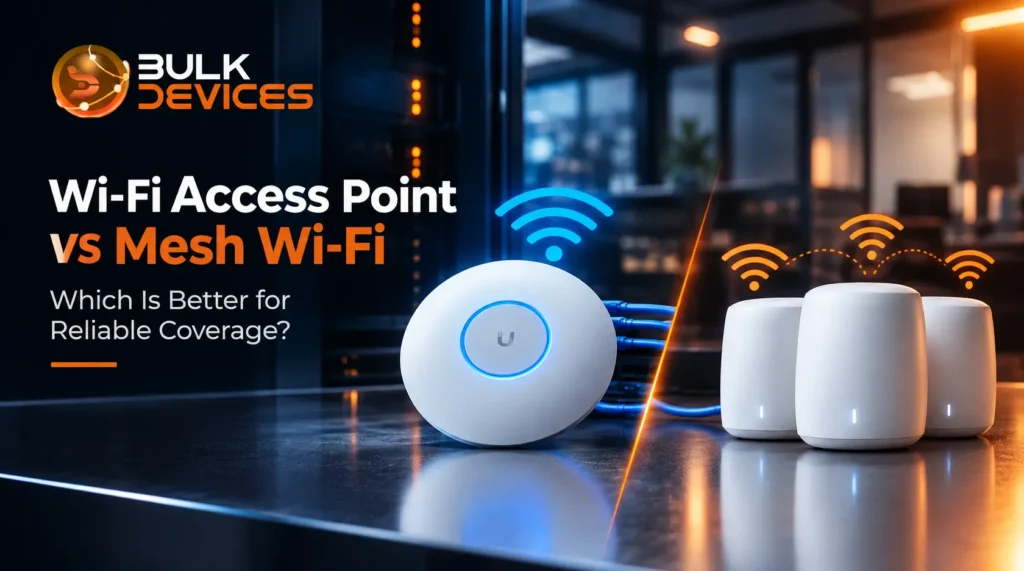
Quick Answer
If you need dependable Wi-Fi across a business or a large home, a dedicated access point (AP) system will almost always beat a consumer mesh Wi-Fi kit, because it uses wired connections between units instead of relying on wireless links to pass the signal along. Mesh is fine for smaller spaces where simplicity matters more than raw performance. Here’s the short version before we go deeper:
- Wi-Fi access point vs mesh Wi-Fi comes down to one thing: how the units talk to each other, and that changes everything about speed and reliability.
- A dedicated AP is usually wired back to the network, so it doesn’t lose speed passing data along.
- Mesh Wi-Fi nodes talk to each other over the air, which is easier to set up but can slow things down as you add more nodes.
- Businesses with several rooms or floors are usually better served by a proper multi-AP system than a mesh kit.
- A router and an access point are not the same thing — a router gets you online, an AP spreads the signal.
Who This Guide Is For
This guide is intended for two types of readers. First, small business owners or office managers who are deciding whether a mesh kit from a high street networking store is enough, or whether a “proper” access point setup is worth the investment. Second, IT personnel and consultants who are familiar with routers and switches but have a better understanding of what a standalone, controller-based, and mesh system is in reality.
To make the comparisons concrete, we’ll use four well-known, actual products: the UAP-AC-PRO from Ubiquiti’s UniFi range, the CISCO881/K9 router, the JX954A (an HP Aruba Instant access point), and the Cisco Aironet enterprise AP, AIR-CAP1702I-E-K9. In the end, you should know what approach you want to use for your building.
What Is a Standalone Access Point?
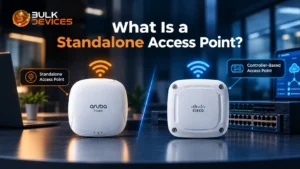
Standalone access point: An access point that operates on its own without the need for a separate controller box to configure or control. You connect it to your network, log into its website or app, and it emits its own Wi-Fi signal.
This is unlike a controller-based access point, which requires a central controller (physical or virtual) to coordinate the settings, security policies, and roaming behaviour of multiple access points.
The difference is clearly illustrated with two real products. Aruba’s “Instant” line was designed to allow a smaller site to deploy access points without purchasing a dedicated controller, such as the JX954A, an HP Aruba Instant access point. One unit assumes a lightweight “virtual controller” state, and all other units follow.
On the other end sits the Cisco Aironet AIR-CAP1702I-E-K9 controller-based access point, a classic enterprise-grade AP. Cisco Aironet units like this one were designed to be managed by a Cisco Wireless LAN Controller (WLC), which handles things like channel planning and client roaming centrally across dozens or hundreds of APs at once.
Either approach generates a Wi-Fi coverage cell, the specific area that will provide a usable Wi-Fi signal, but varies widely in terms of the way the coverage is managed and scaled. Standalone suits less extensive sites with limited IT assistance. For larger sites, where coverage is required in a number of rooms and floors and is of a consistent nature, controller-based solutions are the answer.
What Is Mesh Wi-Fi?
Mesh Wi-Fi is a system of two or more units that work together to blanket an area in a single Wi-Fi network, using wireless links between the units themselves instead of network cables. Each unit, often called a node, talks to its neighbours over the air and forwards traffic hop by hop until it reaches the main router.
This wireless link between nodes is called the wireless backhaul, and it’s the defining feature of mesh systems. It’s also mesh Wi-Fi’s biggest limitation: every hop between nodes shares the same wireless spectrum being used for actual devices, so the more nodes data has to pass through, the more speed you lose along the way.
Mesh systems also use a self-healing network design. If one node drops offline, the others automatically reroute traffic around it and devices reconnect to the nearest working node, often without a noticeable interruption. This is genuinely useful for home users who don’t want to think about network management at all.
Because every mesh node broadcasts the same network name, devices are supposed to hand off between nodes as you move through a building — this is what gives mesh systems their reputation for seamless roaming. In practice, how well this works varies a lot between brands and how many nodes are stacked into one system.
Professional Multi-AP Systems: The Middle Ground
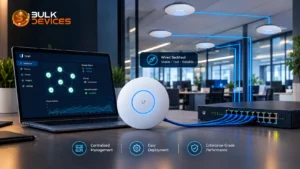
There’s a third option between a standalone AP and a consumer mesh kit that many consumers don’t realize exists: a professional multi-AP system. They are points of access, each with an Ethernet connection to the network, and all controlled from a single software package or small central unit.
The UAP-AC-PRO in the Ubiquiti UniFi range is a fine example of this solution. The design is to install pairs, trios, or hundreds or more by cable across an office, warehouse, or multi-floor building, and manage and monitor them from one central UniFi dashboard.
It’s worth being precise here, because this gets blurred a lot in marketing: a Ubiquiti UniFi multi-AP system like this is not the same architecture as true consumer mesh Wi-Fi. UniFi APs are typically set up with wired backhaul — each AP has its own cable connection back to a switch — rather than relaying signal wirelessly between units. That wired connection is exactly why this approach avoids the speed loss that comes with wireless hops in a mesh system.
An IT admin can deploy firmware, adjust channel settings, or monitor the load on each client across all the APs in the building on a single screen, since each AP is centrally managed. It’s a different approach from manually tweaking settings on individual mesh nodes; this is why larger offices and sites prefer to use this approach over a home mesh kit.
If you are considering a building with more than two rooms, then browse our full range of wireless access points side-by-side.
Controller-Based vs Standalone/Instant Access Points
Once you’ve decided a dedicated AP system makes sense, the next decision is controller-based access point vs standalone, and this comes down to how much management overhead you’re willing to take on.
A setup using Aruba Instant access points, as the JX954A mentioned earlier, keeps things simple. No separate controller hardware or subscription is needed — one AP quietly takes on the coordinating role, and the rest of the group follows its lead. This is ideal for smaller sites or businesses without dedicated IT staff on hand every day.
A setup built around Cisco Aironet access points and a proper Wireless LAN Controller (WLC) takes more setting up, but it pays off at scale. A WLC gives one point of control over security policy, guest network settings, and roaming behaviour across every AP on the network — genuinely useful once you’re managing tens or hundreds of them across multiple buildings.
The trade-off is straightforward: standalone and Instant-style APs favour simplicity, while controller-based APs favour scale and central control at the cost of a steeper setup and higher management overhead. Neither is “better” in the abstract — it depends entirely on how many APs you’re running and who’s managing them day to day.
Where Does the Router Fit In?
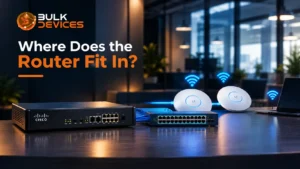
A router is not an access point, and that’s one of the most frequent Wi-Fi planning errors we encounter when businesses set up their wireless networks. The task of a router is to control the WAN connection, which links your business to the internet, control your public IP address, and route traffic between your business network and the internet.
The CISCO881/K9 is among Cisco’s 880 Series of routers designed just for the task. It is a router, and it is not intended to solve an access point problem.
Most small business routers come with a built-in Wi-Fi radio as standard. However, most routers have predetermined Wi-Fi coverage within one room from a single location, which is adequate in a small flat or single-room office, but is not designed to span a building. The difference between routing vs wireless coverage is that your business is connected to the internet through a router, and the connection is made into usable Wi-Fi coverage by an access point (or multiple access points).
In reality, most legit businesses use both at the same time: the Cisco CISCO881/K9 880 Series router (or something similar) for the WAN connection and the routing, but with the Wi-Fi radio turned off, connected to a different access point or multi-AP system that is configured to provide wireless coverage to the area.
Reliability Compared: Coverage, Roaming & Failure Resilience
When people ask which setup is more reliable, they’re usually really asking about three separate things: how well the signal reaches every corner, how smoothly devices move between nodes or APs, and what happens when something breaks.
On roaming, mesh Wi-Fi and dedicated AP systems both aim for the same outcome — a device moving through the building should hand off from one node or AP to the next without dropping the connection. In practice, dedicated AP systems tend to manage this better, because centrally managed APs can actively push a device towards the strongest signal rather than waiting for the device to decide on its own. This is part of why the sticky client problem — where a device stubbornly clings to a weak, distant signal instead of switching to a closer one — shows up more often on cheaper mesh setups and older standalone APs than on well-configured, centrally managed AP systems.
On failure resilience, mesh systems have a genuine advantage for very simple setups: a self-healing mesh network reroutes around a dead node automatically, with no separate hardware needed to make that happen. A single standalone AP, by contrast, is a single point of failure — if it goes down, that area loses coverage until someone fixes it. But this gap narrows a lot once you’re running a proper multi-AP system rather than one lone AP; several wired APs covering overlapping areas give you a similar safety net to mesh, but with each unit’s performance staying consistent rather than degrading with distance.
On raw coverage, dedicated AP predictability is the real differentiator. Because each AP has its own wired connection, its performance doesn’t depend on how many hops of wireless backhaul the signal has already travelled through, which makes it much easier to plan and predict coverage across a building before you even install anything.
When to Choose Mesh vs When to Choose Dedicated APs
There are typically 4 questions worth answering when deciding between mesh Wi-Fi and dedicated access points: What size space to cover? How many devices will be using the system? How much money is available? Is anyone nearby to operate the system on a daily basis?
A mesh kit is often a better option for a typical home or small office that consists of a flat, a small house, or a single-room office with a few devices. It’s easy to install, requires no networking expertise, and fills a room nicely for browsing, video calls, and streaming.
A dedicated AP system pays for itself in a commercial building, which can be a multi-room office or a warehouse, a retail unit, or wherever dozens of devices might connect on a daily basis. A wired backhaul maintains performance regardless of the number of coverage points added, and a centralised approach is realistic for maintaining the network over time.
It also depends on budget, but it’s important to consider the overall expenses instead of just the initial cost. While it’s generally less expensive to purchase a mesh kit as a single product, a properly sized AP system from the outset typically requires significantly less troubleshooting and replacement over time.
Finally, be honest about IT support availability. If no one is on site who is able to log into a controller dashboard and troubleshoot a wired AP, a standalone or Instant-style AP setup may be more practical than a controller-based solution that requires constant maintenance, or even a good mesh kit.
Dedicated AP System vs Mesh Wi-Fi: Side-by-Side Comparison
| Factor | Dedicated AP System | Mesh Wi-Fi |
|---|---|---|
| Reliability | High and consistent, thanks to wired backhaul between units | Good for small spaces, but can dip as more wireless hops are added |
| Scalability | Built to scale — add more wired APs without losing performance | Limited — each extra wireless hop adds more strain on the network |
| Management complexity | Ranges from simple (standalone/Instant) to centrally managed (controller-based); more setup involved | Very simple, usually managed from a single app |
| Typical cost | Higher upfront cost, lower long-term management burden at scale | Lower upfront cost, simpler to buy off the shelf |
| Best-fit scenario | Offices, warehouses, multi-floor buildings, high device density | Homes, flats, small single-room offices |
Common Mistakes When Choosing Between Them
Wi-Fi coverage planning mistakes show up again and again in businesses that later regret their choice, and most of them are avoidable.
The biggest one is assuming mesh scales like enterprise APs — buying a consumer mesh kit and adding node after node to cover a growing office, without realising that each extra wireless hop chips away at performance in a way that wired AP deployments simply don’t suffer from.
A close second is ignoring wired backhaul benefits. Businesses sometimes dismiss dedicated AP systems as “just more expensive mesh,” when the wired connection behind each AP is exactly what gives it more predictable, consistent performance in the first place.
The third common mistake is underestimating device density — planning Wi-Fi coverage around a handful of laptops, then discovering the office actually needs to support phones, tablets, printers, security cameras, and point-of-sale systems all connecting at once. A setup that looked more than adequate on paper can end up feeling slow and unreliable once real-world device counts kick in.
Frequently Asked Questions
Is mesh Wi-Fi as reliable as dedicated access points? Mesh Wi-Fi can be reliable enough for a home or small single-room office, but dedicated access points are generally more reliable for larger or busier spaces. This is because dedicated APs typically connect back to the network by cable, while mesh nodes usually rely on a wireless link that can lose performance the further data has to travel.
Do I need a wireless controller for my access points? Not necessarily. Standalone or Instant-style access points, like Aruba’s Instant range, manage themselves without a separate controller and suit smaller deployments well. A wireless controller becomes worthwhile once you’re managing many access points across a larger site and need central control over settings and roaming.
Can I use a router alongside a separate access point system? Yes, and this is actually the standard setup for most businesses. The router handles the internet connection and routing, while one or more dedicated access points handle spreading that connection as Wi-Fi across the building. Most businesses turn off the router’s built-in Wi-Fi radio entirely once dedicated access points are in place.
What’s the difference between a standalone and a controller-based access point? A standalone access point manages its own settings without any separate controller hardware, which makes it simple to set up. A controller-based access point relies on a wireless LAN controller to manage settings, security, and roaming across multiple units, which suits larger deployments better than smaller ones.
Is mesh Wi-Fi good enough for a small business office? For a very small office with light Wi-Fi use, mesh Wi-Fi can work well enough. For an office with more rooms, more devices, or heavier daily use, a dedicated access point system is usually a better long-term choice, since it won’t lose performance as coverage needs grow.
Why do dedicated APs handle roaming better than mesh in some cases?
A centrally managed dedicated access point can actively move a device toward the strongest nearby signal as it moves through a building, rather than letting the device choose its own signal. This decreases the sticky client issue, in which a device remains connected to an out-of-the-way, weaker signal instead of tuning to a nearby access point.
Finding the Right Setup for Your Building
Whether you land on a standalone AP, a controller-based enterprise system, or a mesh kit for a smaller space, the right choice really comes down to the size of your building, how many devices you’re supporting, and how much ongoing management makes sense for your team. If you’re weighing up your options for the best Wi-Fi solution for your office in the UK, see our full networking range at BulkDevices for access points, routers, and switches to match whatever setup fits your space.