
Quick Answer:
If your workstation works normally when you’re doing light tasks but suddenly turns off when you start rendering, exporting, gaming, or running a demanding CAD job, the power supply (PSU) and cooling system are the first places to look. An undersized power supply, overheating, ageing PSU capacitors, or overcurrent protection (OCP) can all cause this behaviour. The important part is finding the actual cause before replacing any hardware.
Here are a few things worth knowing:
- A shutdown that happens only during heavy workloads usually points towards a power- or heat-related issue.
- A PSU that worked well with your original setup may struggle after a major hardware upgrade.
- OCP is a safety feature that protects the PSU rather than being a problem by itself.
- An older PSU can gradually lose its ability to provide clean, stable power.
- Testing the workstation with a known-good PSU is one of the best ways to narrow down the problem.
If you’ve recently installed a more powerful graphics card, added extra drives, or have been using the same workstation for several years, the following checks can help you find the reason behind the shutdown.
The Exact Symptom Pattern: Fine at Idle, Fails Under Load
When a computer shuts down under load but works perfectly during normal use, the pattern itself gives you an important clue.
For example, your workstation might sit on the desktop for hours, handle emails and documents without any issue, and then switch off a few minutes after you start a render. The same thing can happen during a demanding game, video export, simulation, or CAD task.
This is different from a computer that shuts down at completely random times. Random crashes can have many possible causes, including drivers, operating system problems, memory issues, or other hardware faults. When the shutdown happens specifically as the CPU or GPU starts working harder, power delivery and temperature become much more likely suspects.
The reason is simple: demanding workloads make your components consume more power and produce more heat. If the PSU cannot provide enough stable power, or the cooling system cannot remove the extra heat, the workstation may shut itself down.
The Most Common Cause: An Undersized Power Supply
One of the most common reasons a workstation switches off during a demanding task is an insufficient power supply.
This often happens after a hardware upgrade. The original PSU may have been perfectly suitable for the computer when it left the factory. Once you add a more powerful graphics card, additional storage drives, or other hardware, however, the total power requirement changes.
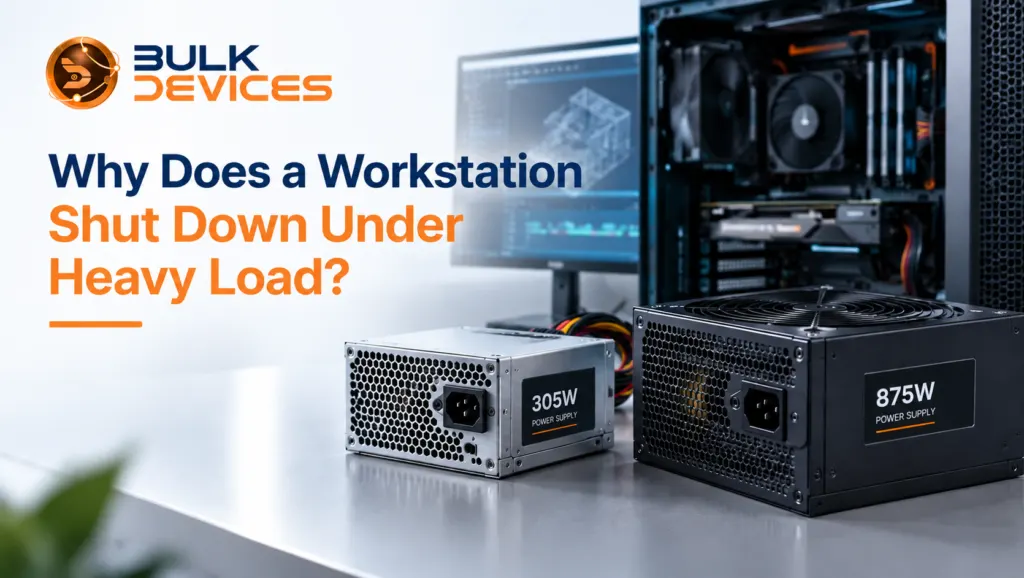
A 305W desktop PSU is a good example. Supplies in this wattage class are commonly found in compact Dell OptiPlex-class systems. This wattage class is sometimes listed under part numbers such as L305P-03 and is suitable for the lower-power hardware these systems were originally designed around.
Problems can start when you put a much more demanding GPU or several additional drives into the same machine. The workstation may continue working normally during everyday tasks because those tasks don’t use much power. Once the CPU and GPU are pushed harder, the PSU may no longer have enough capacity to keep everything running.
If you’re using a 305W Dell OptiPlex power supply or a similar unit in a machine that has been upgraded, checking the PSU should be one of your first steps.
How to Tell If Your PSU Is Genuinely Underpowered
Start by looking at how much power your components actually need. A power supply wattage calculator can help you estimate the combined power requirements of your CPU, graphics card, storage drives, fans, and other hardware.
Don’t just compare the calculated figure with the number printed on the PSU and stop there. You also need some extra capacity between your normal system requirements and the PSU’s maximum continuous output.
Another thing to remember is that power consumption isn’t always perfectly steady. A graphics card can briefly draw more power when it boosts its clock speed. These short spikes can put extra pressure on a PSU that is already running close to its limit.
For example, a system that appears to need around 450W during normal heavy use may still benefit from a PSU with considerably more capacity. Having some headroom gives the power supply room to deal with short increases in demand instead of constantly operating at its limit.
Choosing the Right Wattage for a Workstation
A workstation with a powerful GPU, multiple drives, and a high-performance processor needs more than just enough power to start and run. It needs a PSU with enough capacity to handle sustained workloads comfortably.
An 875W workstation PSU is one example of a higher-capacity option. This higher-capacity class is sometimes listed under part numbers such as N875EF-00. A supply in this range can provide considerably more room for a demanding graphics card, a multi-core CPU, several storage devices, and short power spikes.
When looking at a workstation PSU upgrade, efficiency is worth considering too. The 80 PLUS rating indicates how efficiently a PSU converts electricity into usable power. Higher ratings such as Bronze, Gold, and Platinum generally mean less energy is lost as heat during operation.
If you need a higher-capacity supply, an 875W Dell Precision T5500 power supply can be suitable for workstations designed to use this type of PSU.
Thermal Shutdown: When Heat, Not Power, Is the Cause
Not every shutdown under load is caused by the PSU. Sometimes the workstation is simply getting too hot.
Thermal shutdown vs. power shutdown can be difficult to tell apart because the result looks almost identical. In both cases, the display can suddenly go black, and the computer can switch off.
A thermal shutdown happens when a temperature sensor detects that a component has reached a level where continuing to operate could put the hardware at risk. The system then shuts down to protect itself.
Dust is one common reason for this. Dust can collect around fans, heatsinks, vents, and filters, making it harder for hot air to leave the case. Poor cable management or restricted airflow can also make the situation worse.
Old thermal paste can be another factor, particularly on a workstation that has been running for years. As the thermal paste becomes less effective, heat may not transfer away from the CPU as efficiently as it once did.
Before a full thermal shutdown, you may notice thermal throttling. This happens when the CPU or GPU reduces its performance to bring temperatures back under control. If the temperature continues rising despite this, the system may eventually shut down.
Aging PSU Capacitors and Power Delivery Degradation
An older PSU can also develop problems gradually. Aging power supply symptoms aren’t always obvious because the unit may continue working normally for a long time before the problem becomes noticeable.
Power supplies use capacitors to help smooth and stabilise their electrical output. Over time, heat and normal ageing can reduce their effectiveness.
As capacitors deteriorate, PSU ripple can increase, and the PSU may have more difficulty providing clean, stable power when the system is under a heavy load.
In some cases, damaged capacitors may show visible signs such as bulging or leaking. However, you shouldn’t open a PSU just to inspect its components unless you’re qualified to work safely with power supplies.
This can explain why a workstation that has been completely reliable for years may suddenly begin shutting down during demanding jobs. Nothing about the computer may have changed, but the PSU itself may no longer be performing as well as it once did.
Overcurrent Protection (OCP) and Why It Trips
Overcurrent protection trip explained simply: OCP is a safety feature built into modern power supplies. If the current reaches a level beyond what the PSU is designed to handle, the protection system can shut the unit down.
That’s not necessarily a sign that the PSU is faulty. In fact, the PSU is doing what it was designed to do by protecting itself and the connected hardware.
Modern CPUs and GPUs draw much of their power through the 12V rail, so this is an area worth considering when repeated shutdowns happen during heavy workloads.
If OCP keeps triggering, there are a couple of possibilities. The PSU may not have enough capacity for the current hardware, or another component may be drawing more current than it should.
Overvoltage protection (OVP) is another safety feature found in power supplies. Instead of responding to excessive current, it responds to voltage conditions outside the expected range.
How to Diagnose the Real Cause (Step-by-Step)
Instead of replacing parts and hoping the problem disappears, work through the checks one at a time.
- Look at the shutdown pattern. Does it happen during GPU-heavy work, CPU-heavy work, or both? Also note whether the system turns off immediately or after several minutes.
- Check temperatures under load. Use a monitoring tool such as HWMonitor or HWiNFO while running the workload. Watch the CPU and GPU temperatures and see what happens shortly before the shutdown.
- Check the PSU’s age and condition. If the PSU is more than five years old and the shutdowns have only recently started, ageing components are worth considering.
- Reduce the workload temporarily. Lowering the GPU power limit or running a less demanding task can help. If the workstation remains stable for longer, power or thermal limits become stronger possibilities.
- Swap-test the PSU. If you have access to a suitable, known-good PSU, testing with it can provide a much clearer answer. If the shutdowns disappear with the replacement PSU, you’ve got strong evidence that the original PSU is the cause.
If you need a suitable PSU for testing or replacement, you can browse our full range of power supplies.
Symptom, Likely Cause & Fix Quick Reference
| Symptom | Likely Cause | Fix |
|---|---|---|
| Shuts down under GPU/CPU load but works normally at idle after a hardware upgrade | Undersized power supply | Upgrade to a PSU with suitable capacity and headroom |
| Shuts down after several minutes of heavy work, with fans becoming loud beforehand | Thermal shutdown | Clean dust, improve airflow, and check thermal paste |
| System worked for years and has only recently started shutting down | Aging PSU capacitors | Test with a known-good PSU and replace the unit if confirmed |
| Shuts down suddenly during peak power spikes | OCP tripping | Check PSU capacity and look for a component drawing excessive current |
Common Mistakes When Diagnosing This
The easiest mistake is assuming that the PSU is always responsible. Sometimes it is, but replacing it immediately can waste money if overheating is actually causing the shutdown.
Cooling problems deserve attention too. Dust, restricted airflow, and old thermal paste are simple things to overlook, especially when a workstation has been running without maintenance for a long time.
Another useful step is swap-testing before buying replacement hardware. If you have access to a suitable spare PSU, using it temporarily can tell you much more than simply guessing which component is responsible.
FAQs
Why does my PC only shut down under heavy load, not at idle?
Heavy workloads increase both power consumption and heat output. If the PSU cannot handle the additional demand or the cooling system cannot control the temperature, the computer may shut down. Idle workloads don’t put the same pressure on either system.
How do I know if my power supply is too weak for my build?
Use a power supply wattage calculator to estimate your system’s requirements, then compare the result with the PSU’s continuous rated output. Leave some extra capacity rather than choosing a supply that is right at the calculated limit.
Can an old power supply cause random shutdowns even if it hasn’t failed?
Yes. PSU components can gradually lose performance with age. A supply may continue working during normal tasks but become unstable when the system demands more power.
What’s the difference between thermal shutdown and a power supply shutdown?
A thermal shutdown occurs when a component reaches an unsafe temperature and the system switches off to protect the hardware. A PSU-related shutdown can happen when the supply cannot provide stable power or when one of its protection circuits, such as OCP, is triggered.
Is overcurrent protection tripping a sign my PSU is broken?
Not necessarily. OCP is designed to shut the PSU down when current goes beyond a safe level. Repeated trips should be investigated because they can point to an undersized PSU or a hardware component drawing too much current.
Should I upgrade my PSU wattage or check for a thermal problem first?
Start by checking the shutdown pattern and monitoring temperatures during a demanding workload. If temperatures remain reasonable but the workstation suddenly switches off, the PSU becomes a stronger suspect. If temperatures climb steadily before the shutdown, focus on cooling and airflow first.
If you’ve gone through these checks and an undersized or ageing PSU appears to be the likely cause, take a look at your replacement options before buying anything. BulkDevices carries power supplies across different desktop and workstation wattage classes, including compact desktop units and higher-capacity workstation supplies. This makes it easier to choose a PSU that suits your actual hardware rather than simply buying the highest wattage available.
You can see the full range at BulkDevices and compare the available options before making your decision