Motherboards Classification
Motherboards Classification
Motherboards are always the mainframe in a computing platform, whether a server, desktop, or recycled laptop. These interfaces allow the processors, memory, and all other biological peripherals to communicate effectively and thus contribute to the stability and performance of the computer by providing an interface to connect to other devices. As time has passed, the form and features of motherboards have progressed intensely. The initial motherboards were uncertain and short of advanced features like configured graphics and top-tier networking. However, as technology has become more advanced, motherboards have adopted these features, which have enhanced their performance.
Read more about Motherboards Classification
-

AA684798-325 - Intel System Motherboard NX440LX Slot 1
£101.40
Incl. VAT: £121.68
Add to Cart
-

UK435 - Dell Intel System Board (Motherboard) for Inspiron 1720
£130.74
Incl. VAT: £156.89
Add to Cart
-

60-N3HMB1200-C02 - Asus Lamborghini VX7 G53SW G53SX Intel Socket 989 Laptop System Board Motherboard
£575.45
Incl. VAT: £690.54
Add to Cart
-

31LX8MB0070 - HP Pavilion Dv6-3100 System Board (MotherBoard) for HD5650 Discrete Notebook PC
£175.64
Incl. VAT: £210.77
Add to Cart
-

46184238L04 - Lenovo System Board (Motherboard) for IdeaPad U460
£92.48
Incl. VAT: £110.98
Add to Cart
-
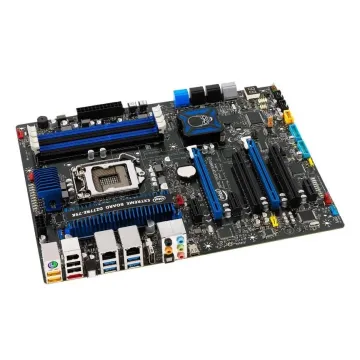
BLKDZ77RE75K - Intel CHIPSET-Z77 LGA-1155 32GB DDR3-1066MHz ATX Motherboard
£340.00
Incl. VAT: £408.00
Add to Cart
-

60-N3IMB1000-B01 - Asus G73SW Laptop System BoardMotherboard
£335.88
Incl. VAT: £403.06
Add to Cart
-

39T5554 - IBM Motherboard 1.5GHz 512MB for ThinkPad X41
£92.63
Incl. VAT: £111.16
Add to Cart
-

417136-001 - HP Socket PGA478 Intel 945PM Chipset ATX System Board (Motherboard) for Pavilion DV8200 Series Notebook PC Supports DDR2 SDRAM
£112.63
Incl. VAT: £135.16
Add to Cart
-

60-N2VMB1401-B06 - Asus G75vw Intel Laptop Motherboard Socket-989
£441.49
Incl. VAT: £529.79
Add to Cart
-

69N0E0M12A03-01 - Asus G60vx Laptop Motherboard
£135.27
Incl. VAT: £162.32
Add to Cart
-

665351-001 - HP Socket PGA989 Intel HM65 Chipset System Board (Motherboard) for Pavilion DV6T-6C00 Series Laptop PC Supports Core i5-2430M DDR3 SDRAM
£144.94
Incl. VAT: £173.93
Add to Cart
