Motherboards Classification
Motherboards Classification
Motherboards are always the mainframe in a computing platform, whether a server, desktop, or recycled laptop. These interfaces allow the processors, memory, and all other biological peripherals to communicate effectively and thus contribute to the stability and performance of the computer by providing an interface to connect to other devices. As time has passed, the form and features of motherboards have progressed intensely. The initial motherboards were uncertain and short of advanced features like configured graphics and top-tier networking. However, as technology has become more advanced, motherboards have adopted these features, which have enhanced their performance.
Read more about Motherboards Classification
-

519220-001 - HP System Board (Motherboard) for Full-featured Notebook PC
£117.87
Incl. VAT: £141.44
Add to Cart
-
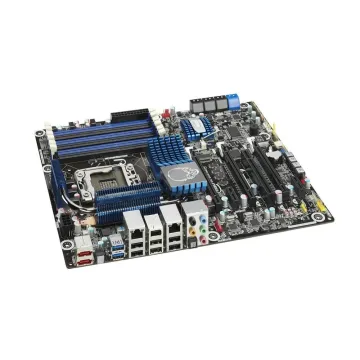
BLKDX58SO2 - Intel LGA-1366 Intel X58 SATA 6GB/S USB 3.0 ATX Motherboard
£255.65
Incl. VAT: £306.78
Add to Cart
-

GFWM3 - Dell System Board (Motherboard) for Alienware M17x R3
£264.97
Incl. VAT: £317.96
Add to Cart
-

741980-501 - HP System Board (Motherboard) for Pavilion 10 Touchsmart Series Notebook PC
£60.99
Incl. VAT: £73.19
Add to Cart
-

60-N0ZMB1300-B01 - Asus G53JW Notebook System BoardMotherboard
£694.53
Incl. VAT: £833.44
Add to Cart
-
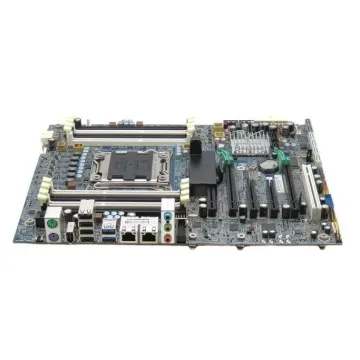
619559-001 - HP Socket FCLGA2011 Intel X79 Express Chipset System Board (Motherboard) for Z620 Workstation Supports Xeon E5-1600/E5-2600 Series DDR3 12x DIMM
£154.99
Incl. VAT: £185.99
Add to Cart
-
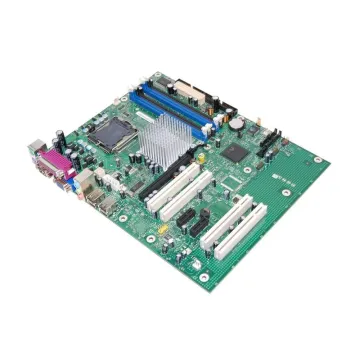
BLKD915GEV - Intel Motherboard Socket LGA 775 800MHz FSB ATX
£346.40
Incl. VAT: £415.68
Add to Cart
-

LA-4111P - HP System Board (Motherboard) for Pavilion Dv4 Amd MainLogic511858-001 Notebook PC
£218.40
Incl. VAT: £262.08
Add to Cart
-

75Y4040 - IBM System Board (Motherboard) for ThinkPad E40
£441.88
Incl. VAT: £530.26
Add to Cart
-
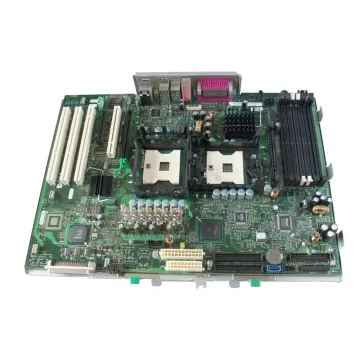
MG026 - Dell Socket PGA604 Intel E7525 Chipset System Board (Motherboard) for Precision WorkStation 670 Supports Xeon DDR2 6x DIMM
£587.00
Incl. VAT: £704.40
Add to Cart
-

482276-001 - HP System Board (Motherboard) for 2133 Mini-note Pc.
£95.00
Incl. VAT: £114.00
Add to Cart
-

NR231 - Dell System Board (Motherboard) for XPS M1210
£86.39
Incl. VAT: £103.67
Add to Cart