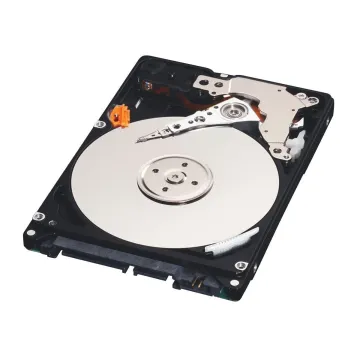
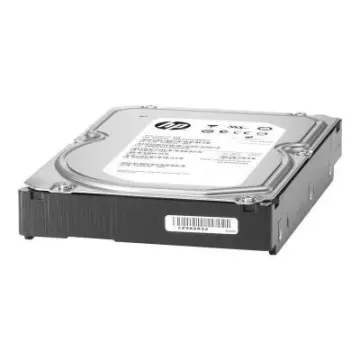
Printer Hard Drive

Buy Printer Hard Drives for UK MFP and Copier Replacements

When you need to buy printer hard drives for your office equipment, understanding the specialised nature of these components is essential. Modern enterprise printers and MFDs are powerful computers that hold scanned files, print queues, address books and user credentials. When a printer hard drives uk unit fails, the entire device becomes non-operational. BulkDevices UK stocks firmware-compatible replacement drives for major UK office printer brands, restoring functionality without costly engineer call-out fees. These MFP hard drives provide just the formatting and security your office equipment requires to continue running smoothly.
  • J6054-60032 HP

    J6054-60032

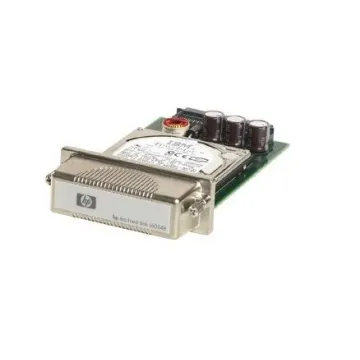
    J6054-60032 - HP 20GB 4200RPM Ultra IDE ATA-100 2MB Cache 2.5-inch Hard Drive

    £244.05 Incl. VAT: £292.86
    Add to Cart
  • J6054-69021 HP

    J6054-69021

    J6054-69021 - HP 20GB 4200RPM Ultra IDE ATA-100 2.5-inch Hard Drive for LaserJet 4600 5550 5500

    £396.00 Incl. VAT: £475.20
    Add to Cart
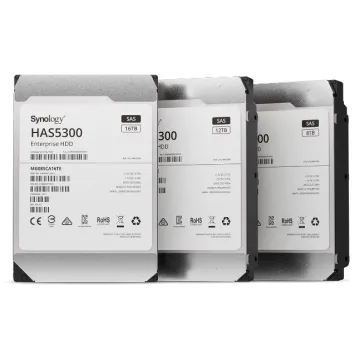
  • HAS5300-16T Synology

    HAS5300-16T

    HAS5300-16T - Synology HAS5300-16T 16000GB SAS 3.5-Inch internal Hard Drive

    £597.77 Incl. VAT: £717.32
    Add to Cart
  • HAT5310-8T Synology

    HAT5310-8T

    HAT5310-8T - Synology HAT5310-8T 8000 GB Serial ATA III 3.5-Inch Internal Hard Drive

    £308.07 Incl. VAT: £369.68
    Add to Cart
  • HAT5310-18T Synology

    HAT5310-18T

    HAT5310-18T - Synology HAT5310-18T 18000GB Serial ATA III 3.5-Inch Internal Hard Drive

    £599.94 Incl. VAT: £719.93
    Add to Cart
  • 324-5407 Dell

    324-5407

    324-5407 - Dell 160GB Hard Drive for 5460dn/5465dnf Printer

    £277.27 Incl. VAT: £332.72
    Add to Cart
  • 0HW681 Dell

    0HW681

    0HW681 - Dell 80GB Hard Drive for 5330DN Laser Printer

    £124.18 Incl. VAT: £149.02
    Add to Cart
  • CC493-67920 HP

    CC493-67920

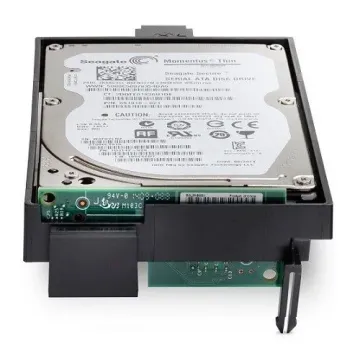
    CC493-67920 - HP 120GB 2.5-inch Hard Drive for Color LaserJet CP4525 Printer

    £306.08 Incl. VAT: £367.30
    Add to Cart
  • CF066-67902 HP

    CF066-67902

    CF066-67902 - HP 320GB Hard Drive for LaserJet Enterprise MFP M725 Series Printer

    £75.95 Incl. VAT: £91.14
    Add to Cart

Understanding Multifunction Printer Hard Drive Functions

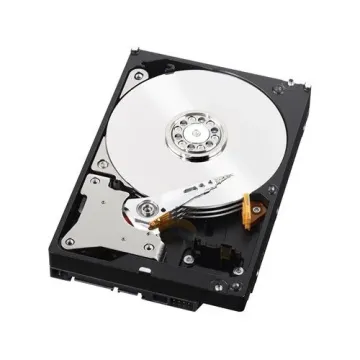
A multifunction printer (MFP) hard drive does a different job from a standard PC hard drive. It holds the printer's operating system, font libraries, scanned document buffers, secure print job queues and user authentication data. Unlike normal computer internal storage, a printer drive must be compatible with the firmware of the device it is installed in.

Copier hard drives also handle complex multi-page colour copy requests and act as temporary working memory during high-volume copying in busy UK offices. If the drive fails, the device cannot boot its operating system, and the whole MFP stays out of action until a compatible replacement drive is fitted.

Selecting Printer Internal Storage for UK Office Environments

Differences in firmware, sector size and encryption keys mean printer hard drives cannot simply be swapped between models. Replacement drives should match the OEM specification exactly.

  • GDPR Security Compliance

    Drives with AES-256 encryption help ensure that scanned customer documents cannot be recovered if the drive is removed from the printer, supporting your UK GDPR and ICO data-protection obligations.

  • High-Volume Copying

    Copier storage drives are built for continuous workloads, handling hundreds of copy and scan jobs a day without the premature wear seen in standard consumer drives.

  • Firmware Pre-Loading

    Firmware-matched drives can be supplied with the correct firmware already loaded, reducing installation time and avoiding compatibility errors when the device first boots.

The right copier storage drive protects your organisation's data while keeping your devices productive. For offices handling sensitive client information, a correctly specified, encrypted replacement drive is an important part of staying compliant.

Laser Printer and Network Printer Storage Drives

When replacing a laser printer hard drive, the new drive must be the same model as the original. Even if the connector is identical, a difference in drive capacity can stop the replacement from working.

Network printer storage drives also hold the internal email address book used for the scan-to-email function, so securing these drives is part of your UK GDPR responsibilities. Job logging data on business copier hard drives may also count as personal data under UK law, and firmware versions should be checked for print server storage configurations.

Whether you are arranging a printer HDD replacement or another repair, always match the Field Replaceable Unit (FRU) part number given by your service provider against the one listed in your service manual.

Top Brands: HP, Xerox, Canon, Ricoh and Kyocera Printer Hard Drives

Each major printer brand has its own strengths when it comes to storage security and workload handling:

  • HP (LaserJet / MFP series) and Xerox offer self-encrypting drives, with FIPS 140-validated options widely used in UK government, NHS and financial services environments that require strong data protection.
  • Canon and Ricoh drives are built as high-volume workhorses for departmental copiers handling thousands of pages a day in legal, accountancy and corporate offices.
  • Kyocera drives are known for their longevity, which suits UK Managed Print Service deployments and helps lower the total cost of ownership across large printer fleets.

Why Buy Printer Hard Drives from BulkDevices UK?

We keep UK-based stock of firmware-compatible drives for major printer brands, giving fast nationwide delivery that keeps office downtime to a minimum. Drives are shipped in secure anti-static packaging to protect sensitive components in transit.

For standard laptop hard drive replacements, explore our 2.5-inch range. For high-performance upgrades in compatible devices, browse our solid-state drives catalogue.

We offer competitive pricing for Managed Print Service providers maintaining large UK fleets, GDPR-compliant data destruction certificates for old drives on request, and expert pre-sales advice to match exact FRU part numbers to your printer model. Explore our complete Storage Devices catalogue for server, desktop and backup storage solutions.

FAQ

Do printer hard drives come with firmware pre-installed for UK devices?
It depends on the specific FRU (Field Replaceable Unit) part number. Some replacement drives are supplied with the printer’s operating system pre-loaded for immediate installation. Others are blank and require a certified UK engineer to upload firmware via USB before the printer will initialise correctly.

What is the difference between a standard PC hard drive and a printer hard drive?
A: While both may use SATA connections physically, printer drives use custom sector sizes (often 520-byte rather than standard 512-byte), contain proprietary encryption keys, and must match the exact capacity the printer firmware expects. Using a standard PC drive typically results in initialisation errors on UK office printers.

How do I securely erase a UK printer's hard drive before disposal?
A: Most enterprise MFPs have a built-in “Secure Erase” or “Data Overwrite” function in the administrator menu, overwriting stored data multiple times to DoD standards. This satisfies UK GDPR requirements for secure disposal of devices that have processed personal data during their operational life.

How do I know if my UK office printer's hard drive is failing?
A: Common symptoms include the printer displaying “Disk Initialising” indefinitely on startup, the control panel becoming completely unresponsive, or specific error codes appearing (HP’s “49.xx Error,” Xerox “Disk Failure,” or Ricoh “HDD Error”) indicating storage hardware failure requiring immediate replacement.