Motherboards Classification
Motherboards Classification
Motherboards are always the mainframe in a computing platform, whether a server, desktop, or recycled laptop. These interfaces allow the processors, memory, and all other biological peripherals to communicate effectively and thus contribute to the stability and performance of the computer by providing an interface to connect to other devices. As time has passed, the form and features of motherboards have progressed intensely. The initial motherboards were uncertain and short of advanced features like configured graphics and top-tier networking. However, as technology has become more advanced, motherboards have adopted these features, which have enhanced their performance.
Read more about Motherboards Classification
-

MBD-X9DRW-3TF+-B - Supermicro Intel C606 Chipset Socket R LGA-2011 Server Motherboard
£650.00
Incl. VAT: £780.00
Add to Cart
-

MBD-X11SSW-F-B - Supermicro Intel Chipset LGA-1151 Server Motherboard
Request For Quotation
-
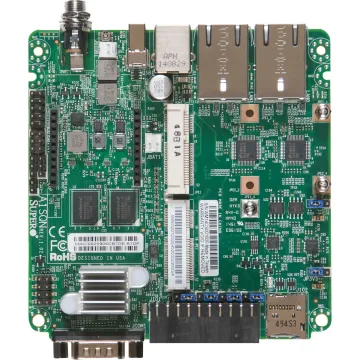
MBD-A1SQN-E-B - Supermicro Intel Quark X1021 BGA 393 Desktop Motherboard
£118.32
Incl. VAT: £141.98
Add to Cart
-

MBD-H8QG7-LN4F-B - Supermicro AMD SR5690/SR5670 Chipset Socket G34 Server Motherboard
£1,105.83
Incl. VAT: £1,327.00
Add to Cart
-
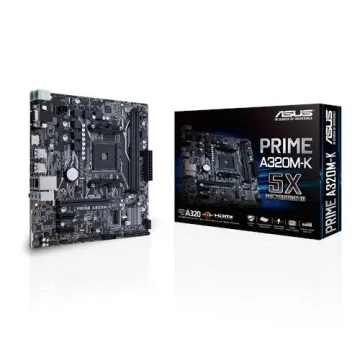
90MB0TV0-M0EAY0 - Asus AMD AM4 Prime A320M-K Motherboard
Request For Quotation
-
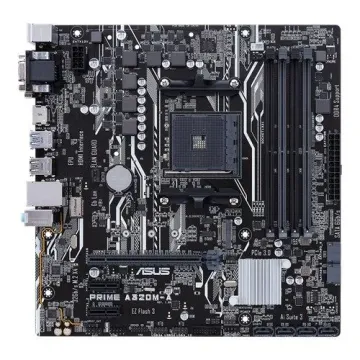
90MB0VA0-M0EAY0 - Asus AMD A320 Micro ATX DDR4-SDRAM Motherboard
Request For Quotation
-

MBD-X11DPL-I-O - Supermicro Intel Chipset Socket P LGA-3647 Server Motherboard
£679.60
Incl. VAT: £815.52
Add to Cart
-

MBD-X11DDW-NT-B - Supermicro Intel C622 Chipset LGA-3647 Server Motherboard
£880.50
Incl. VAT: £1,056.60
Add to Cart
-
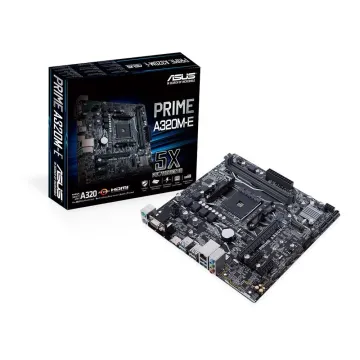
90MB0V10-M0EAY0 - ASUS Prime A320M-E/AM4 A320 DDR4 32GB mATX Motherboard
£96.00
Incl. VAT: £115.20
Add to Cart
-

MBD-X11DPI-N-B - Supermicro Intel Chipset Socket P LGA-3647 Server Motherboard
£737.91
Incl. VAT: £885.49
Add to Cart
-

MBD-X11SPH-NCTF-O - Supermicro Intel C622 LGA-3647 Server Motherboard
£870.82
Incl. VAT: £1,044.98
Add to Cart
-

MBD-X11SRM-VF-B - Supermicro Intel C422 LGA-2066 Server Motherboard
Request For Quotation